
View by category
Where do I modify or unsubscribe to eJournals?
Last updated on November 17, 2025
To modify your eJournal subscriptions, or to unsubscribe from an eJournal subscription follow the instructions below. Please note, after unsubscribing, it may take up to a week for the eJournal emails to cease, due to emails being queued for distribution.
From the Journal Subscription Manager page located in HQ, select the 'Click here' button under the network research area you are currently subscribed to.
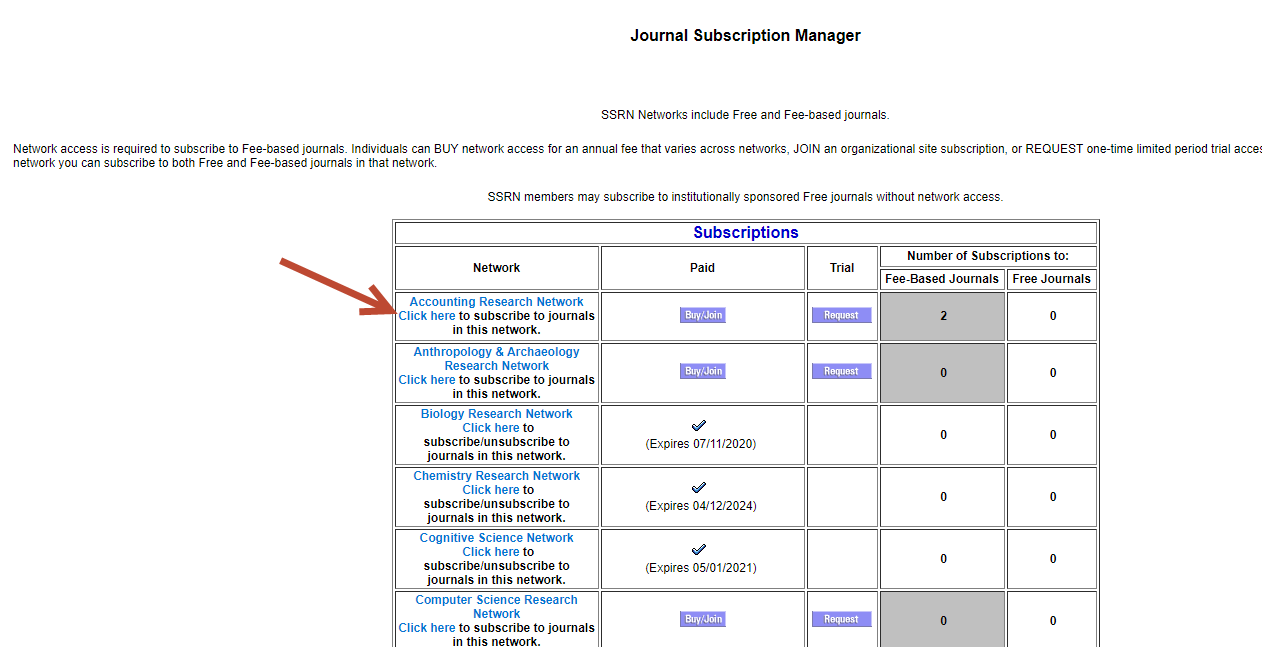
The subscription page for that network will open.
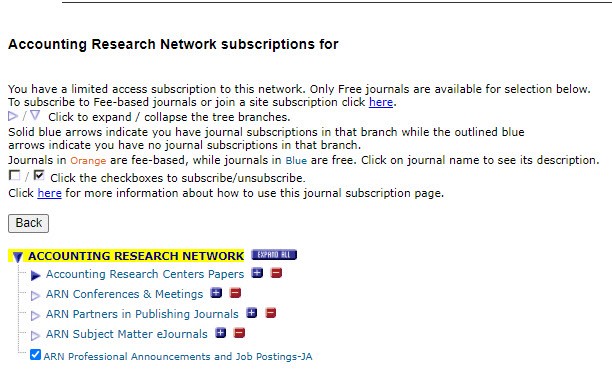
- Deselect/Select the checkbox next to the eJournals you would like to add/remove. Use the 'Expand All' button if you want to see the full list displayed.
- Click on 'Back' to return to the Journal Subscription Manager page.
Did we answer your question?
Related answers
Recently viewed answers
Functionality disabled due to your cookie preferences