
View by category
How do I remove my paper from SSRN?
Last updated on November 17, 2025
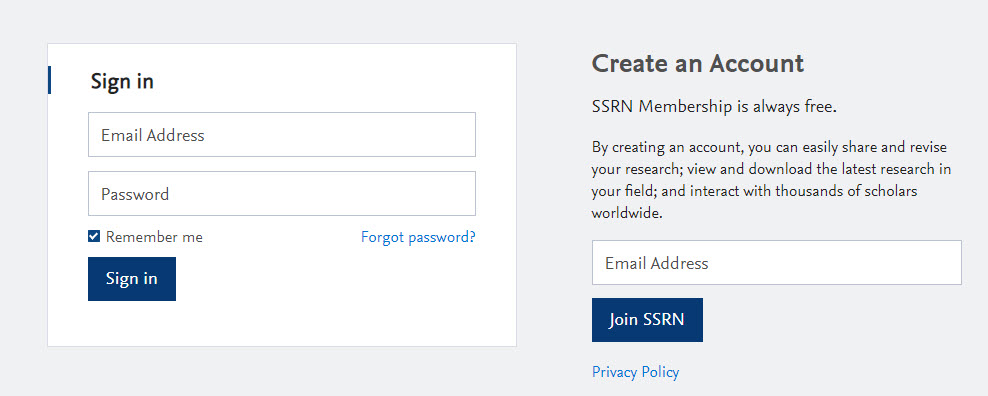 1. Sign in to your SSRN account. Not sure how? To access your free account that was created for you when we received your submission, sign in to SSRN. If you aren't sure of your SSRN credentials, click on Forgot Password from the SSRN sign in screen.
2. Click on My Papers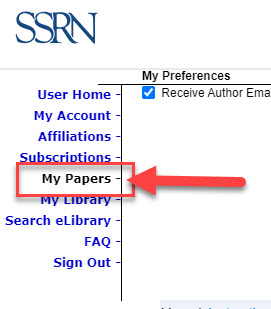
3. Click on Modify from the Availability column.

Make it Inactive - Remove it from SSRN's eLibrary: The paper will be removed from the SSRN eLibrary. It will display in the 'Inactive' section of your My Papers page and will not display on your Author page. These papers do not display on your author page and are not available to the SSRN or external search engines. The status will change to REMOVED.
Why does my submission not have a Modify button, and why is it Restricted by Publisher? The publisher, journal, or series does not allow changes to submissions.
To revise your submission, visit the FAQ How do I revise a submission?
Did we answer your question?
Related answers
Recently viewed answers
Functionality disabled due to your cookie preferences