
View by category
Classifying Your Paper with the New SSRN Submission Form
Last updated on May 28, 2024
SSRN has released a new submission form. The new form gives users an opportunity to upload their paper in 6 easy steps.
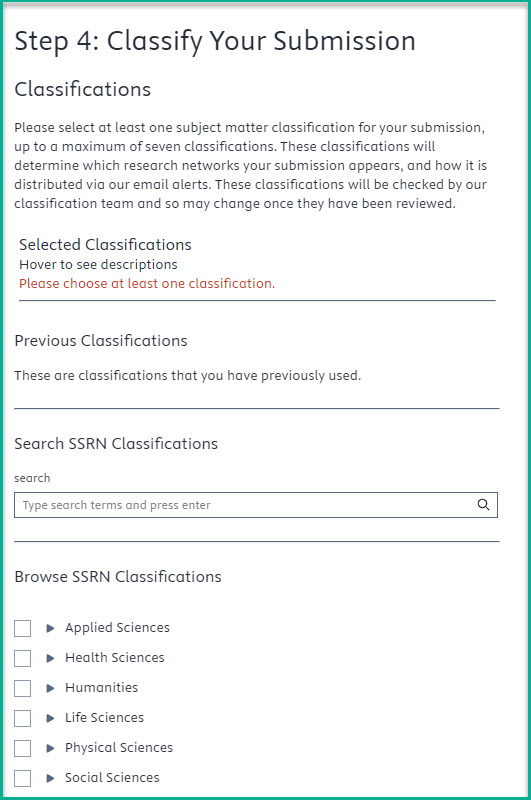 Step 4: Classify Your Submission, allows authors to self-classify their paper.
Classifications determine in which research network(s) your submission appears, and how it is distributed via our email alerts. In the new form users are prompted to add at least one subject matter classification and up to a maximum of seven.
Once posted on SSRN, your paper will be indexed in Google/Google Scholar regardless of how many classifications are chosen.
Why did SSRN change the classification section of the form?
SSRN changed the classification section of the form to streamline and speed up the classification and distribution process. The option to have SSRN select the classification has been removed to avoid the need for manual classification by SSRN staff, which could slow down the distribution process. Authors are now prompted to self-classify their papers, allowing for faster posting on SSRN and giving authors the opportunity to make their work more discoverable by selecting accurate classifications.
Search or Browse SSRN Classifications
You have two options to select classifications in Step 4. You can either use the search function by typing in search terms relevant for classification or use the browse feature to select the classification that best fits your papers topic.
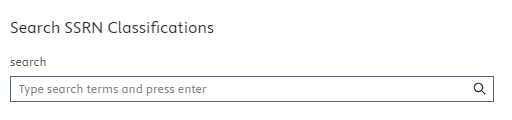 Search and find appropriate subject matter classifications for your submission.
Unsure of what classification is appropriate for your research?
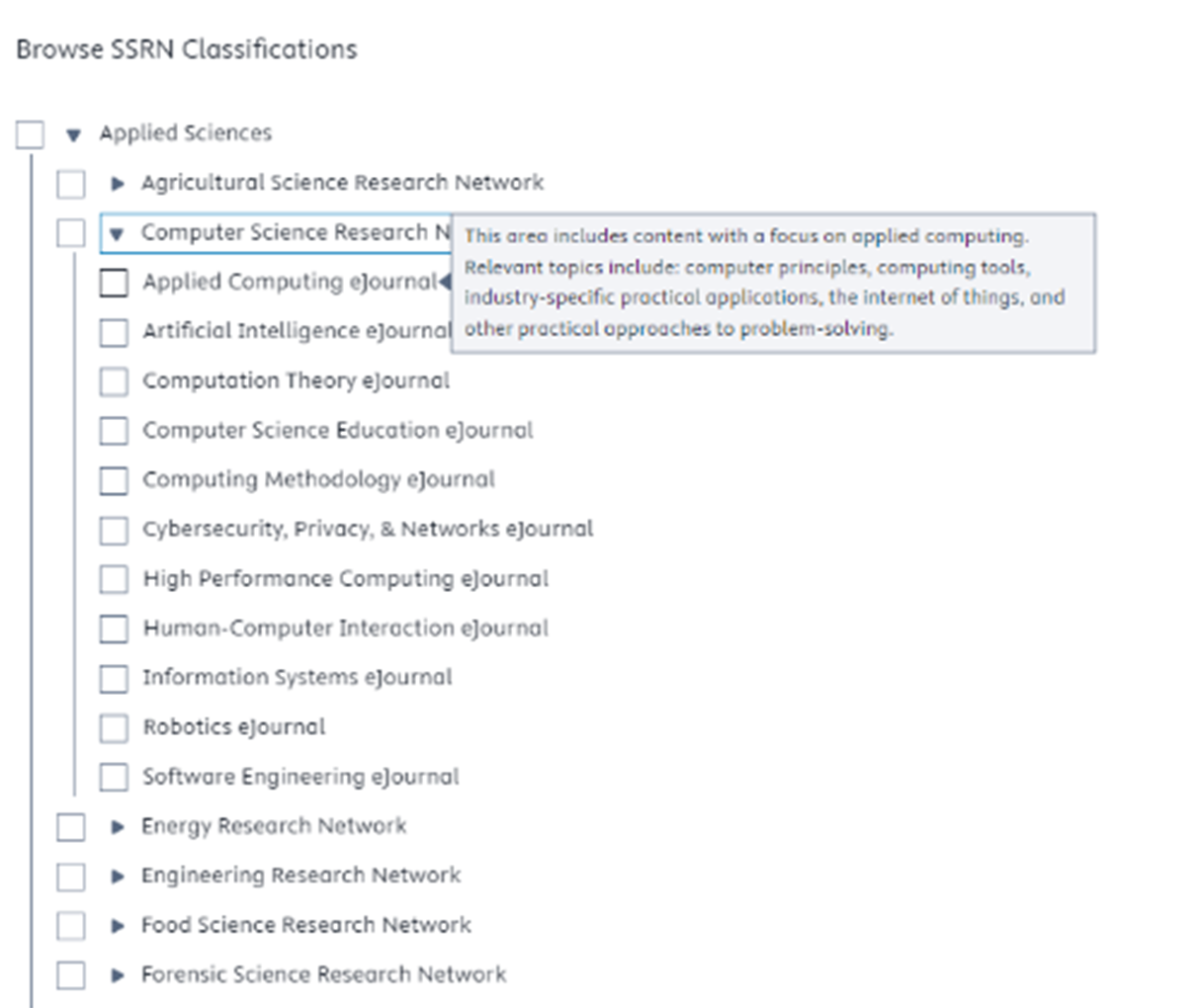 Use the drop-down under each discipline to navigate to the appropriate network and eJournal. Hover over the classification in the list to see a brief description of the topic.
Can I choose from previous classifications?
Yes, if you have previously submitted papers and those papers are posted on SSRN, the classifications associated with those papers will display. This makes it easier for authors to select the same or similar classifications for their new submissions, ensuring consistency and accuracy in the categorization of their work.

I would like to have some classifications removed from my submission and/or have new classifications added.
SSRN has made it easier than ever to classify your paper into the appropriate network and eJournal.
- Self-Classification: Authors can now select the most relevant network and eJournal classifications for their paper during the submission process.
- Benefits: This streamlined approach accelerates the posting timeline and enhances the discoverability of your work by ensuring accurate classifications. Choosing the most relevant classifications at the onset of submission can improve eligibility for Top-Ten rankings.
- Limitations: Once a paper is posted, SSRN cannot remove or add classifications to existing submissions.
- Best Practices:
When submitting a new paper, choose from existing classifications.
Search for relevant categories using keywords.
Use the browse tree and hover over topics to find the most appropriate classifications for your research.
How do I use the JEL Codes within the submission form?
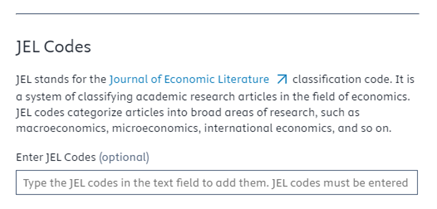
If you select a classification within the relevant Social Sciences discipline, a section for JEL Codes will appear at the bottom of Step 4. Type in the JEL Code appropriate for your research and hit enter.

Are JEL Codes required for distribution?
The JEL Code section in the new submission form is completely optional and does not impact distribution. The codes are an additional avenue by which to browse the site: Browse JEL Classification Codes :: SSRN.
NOTE: You must hit ‘Enter’ after each JEL Code.
Did we answer your question?
Related answers
Recently viewed answers
Functionality disabled due to your cookie preferences