
View by category
What is the impact of adding a new researcher to my team?
Last updated on November 15, 2024
SciVal allows you to do 'what if' scenario modeling. If I add a certain researcher to my team, how would my team perform?
Let’s define a research team and then compare its performance to a team made up of the current team plus a new recruit.
How
Follow these steps to measure the impact of adding a new researcher:
- Go to the Benchmarking module.
- In the entity selection panel (on the left side of screen), click 'Add Researchers and Groups'.
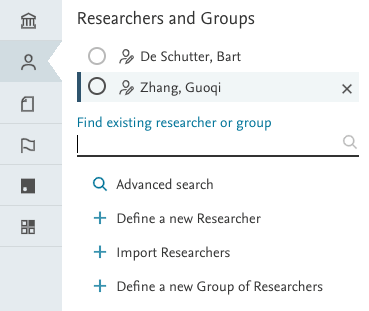
- Click 'Define new researcher'.
- Define your team member.
- Follow this process for each researcher on your team.
- Now go to the entity selection panel and click 'Define a new Group of Researchers'.
- Select your researchers from the left side of your screen and drag each one across to the right side of the screen. Add them to an existing group, or create a new one.
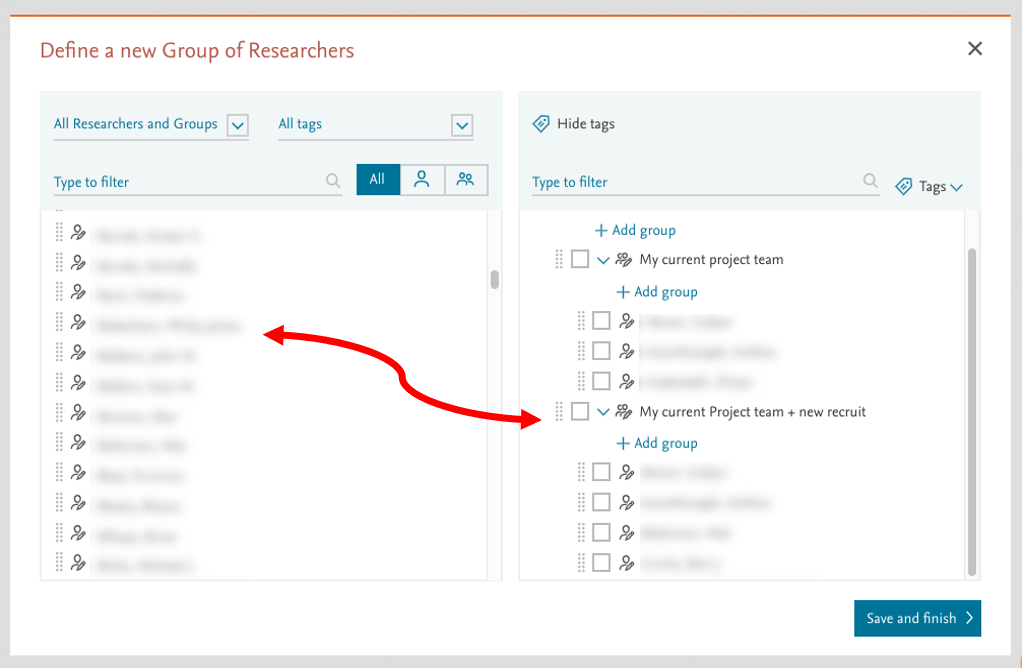
- Save as 'My current project team'
- Define a second group with the same researchers, plus the researcher you want to recruit. You can save this group as 'My current Project team + new recruit.'
- Now you can compare the two groups. in Benchmarking. Click on the 'x-axis' button and select the metric Outputs in Topic Citation Percentile.
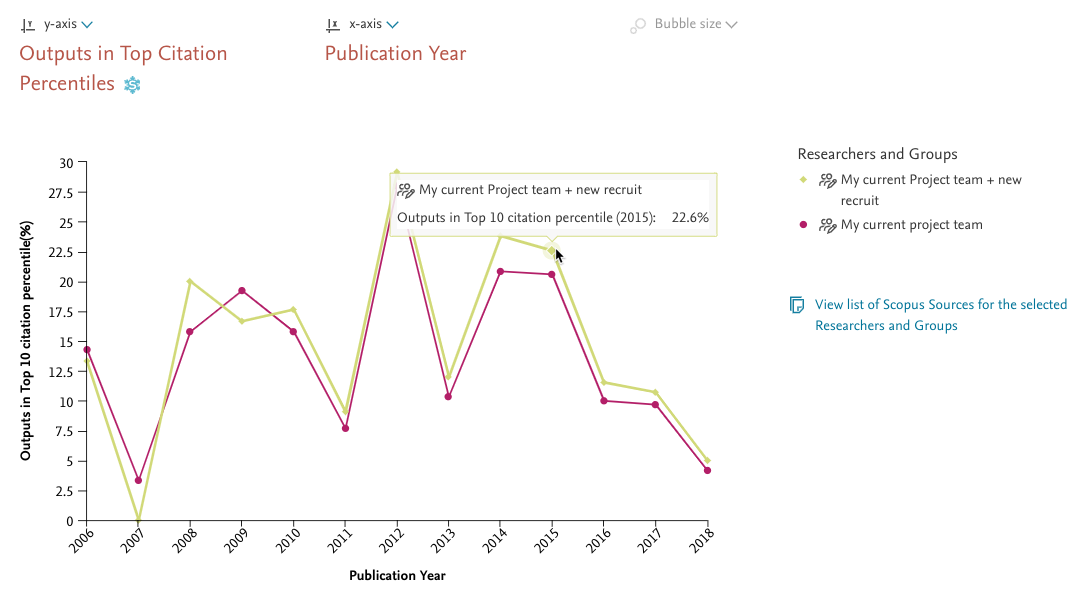
- Compare the performance of the current team versus the expanded team. As you can see, the addition of the new recruit would significantly strengthen the performance of your team.
- Try a few additional metrics. Other useful metrics for comparison include Scholarly Output, Citation Count, Citations per Publication and Collaboration Impact.
Did we answer your question?
Related answers
Recently viewed answers
Functionality disabled due to your cookie preferences