
We are continuously working to ensure ScienceDirect is accessible to all users. The latest accessibility improvements we have made are listed below.
This page is updated regularly and intended to complement the information provided in our accessibility conformance report, which is updated yearly and can be found on the Accessibility Statement page
Accessibility support and feedback
- To report any accessibility issue or for accessibility support, please contact [email protected].
- If you require electronic files for a student or staff member with a disability, you may use the AccessText Networkopens in new tab/window or the Elsevier Disability Request Formopens in new tab/window to request a file. Most requests are fulfilled same day.
Accessibility updates January - April 2025
- In the Ask ScienceDirect AI tool, the interface now announces when a response is loading and when it becomes available, improving clarity for screen reader users. We also replaced visually styled paragraphs with semantic heading tags (e.g., H3), enhancing navigation and content structure. WCAG Criteria: 4.1.3 – Status Messages, 1.3.1 – Info and Relationships
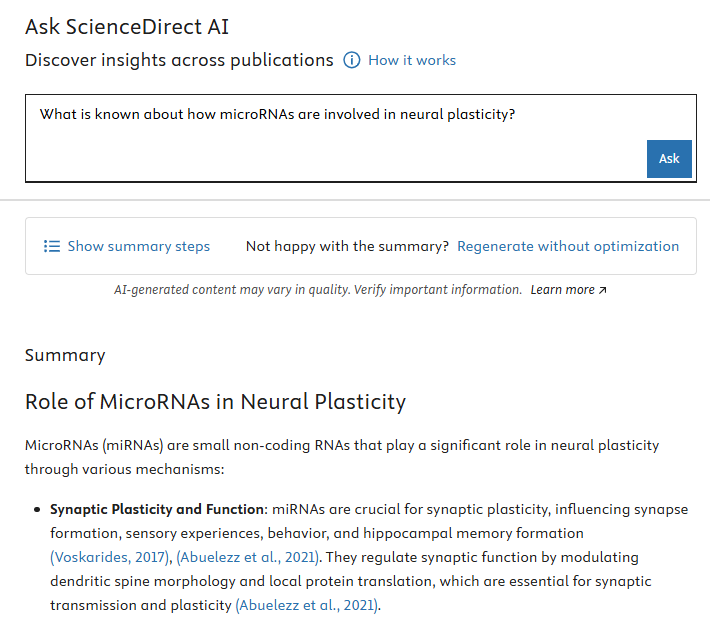
Screenshot of the Ask ScienceDirect AI interface showing the enhanced navigation and content structure
Previous updates
2024
- Duplicated link text was removed by eliminating section heading links on the ScienceDirect homepage and we introduced a consolidated "Browse all titles in…" link at the top of the domain navigation. This update helps guiding users to related content more efficiently. WCAG Criterion: 2.4.9 - Link Purpose
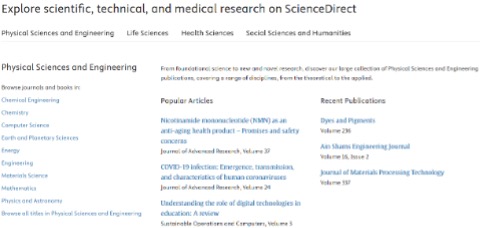
The simplified structure of the homepage - We improved hyperlink visibility on the article search page by ensuring a minimum of 3:1 colour contrast ratio for the "More registration benefits", "Stored locally" and "Sign in" links, enhancing accessibility for users with low vision. WCAG Criterion: 1.4.3 – Contrast.
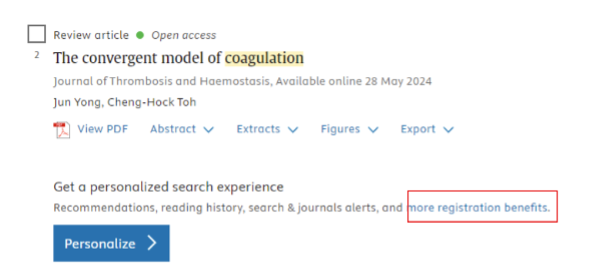
Highlighted link showing the improved contrast ratio - The visible focus is not obscured anymore by the sticky header on the article pages and open access option of journal pages. WCAG Criterion: 2.4.7 - Focus Visible
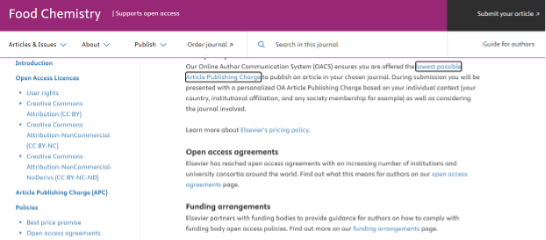
Link in focus on a journal page - References in the Reading Assistant are now tabbable, so that that users can navigate to the corresponding paragraphs easily. WCAG Criterion: 2.4.3 - Focus Order
- Keyboard navigation issues for sub-subject categories on the main subject area were fixed. Tab navigation now correctly focuses on "Browse all titles in Life Science" after selecting "Life Science," improving usability for keyboard users. WCAG Criterion: 2.4.3 - Focus Order
- Keyboard users can now access the CiteScore information in the tooltip on the Call for Papers and Special Issue pages without relying on a mouse. WCAG Criterion: 2.1.1 – Keyboard
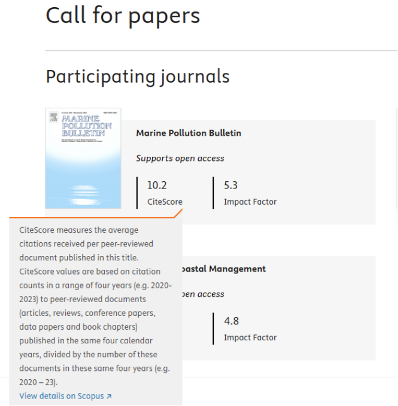
Tooltip made accessible for keyboard users - We've improved modal dialog accessibility on the ScienceDirect Books page. Screen readers only access content within the open modal, preventing users from navigating outside the dialog until it is closed. WCAG Criterion: 3.2.2 - On focus
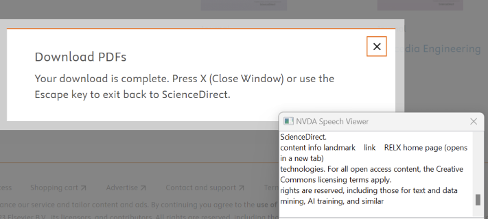
Download modal on Books page - We ensured proper reflow of content on the Journal pages and Special Issue Call for Papers page when zoomed in at 400%, so that only vertical scrolling is required.WCAG 2.1 Criterion: 1.4.10 - Reflow
- We made Reading Assistant components accessible at zoom 400%.WCAG 2.1 Criterion: 1.4.10 – Reflow
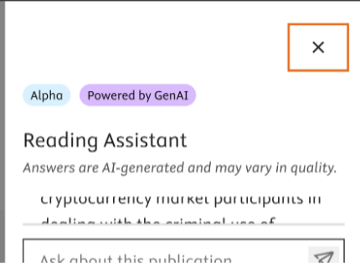
Reading Assistant zoomed in to 400% - Tagged Article page headings directly below Article Metrics (e.g., Citations, Captures, Mentions) as H3 and sub-categories as tagged as list items and ordered alphabetically for better navigation and content structure for screen reader users. WCAG 2.1 Criterion: 1.3.1 - Info and Relationships
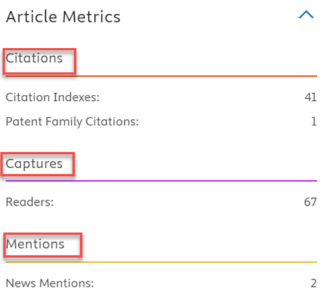
Article Metrics headings tagged as h3 - We improved the contrast of orange bullets on the Journals Aims and Scope page by ensuring a minimum contrast ratio of 3:1 against the background, enhancing readability and accessibility for users with visual impairments. WCAG 2.1 Criterion: 1.4.11 - Non-text Contrast
Journal pages
- Added aria-labels to “Learn more” links on open access and Supports open access on the Journal Pages to provide descriptive text for screen readers.
- WCAG 2.1 - 2.4.4 Link Purpose
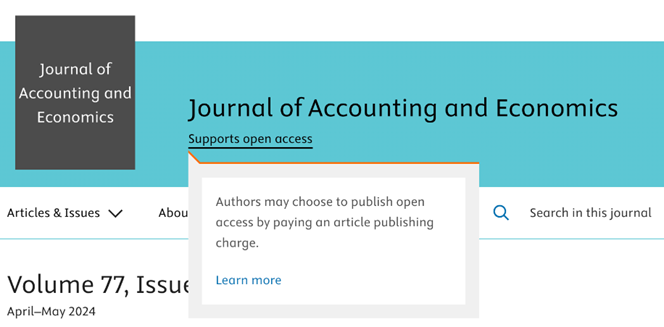
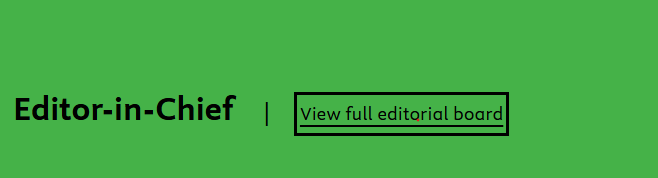
- Enhanced the focus indicator contrast for elements in the journal page header and editors banner. This allows keyboard users to easily identify the focused element, meeting the required contrast ratio.
- WCAG 2.1 - 1.4.11 Non-text Contrast
- Added descriptive aria-label to "Supports open access" link for transformative journals ensuring better navigation for screen reader users.
- WCAG 2.1 - 2.4.4 Link Purpose

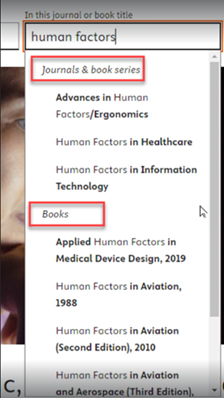
- Adjusted auto-suggest headers in 'In this journal or book title' search box so that they are announced by the screen reader giving the user a better understanding of the auto-suggest list structure.
- WCAG 2.1 - 1.3.1 Info and Relationships
- Resolved text overlap on the journal home page by allowing users to override text spacing styles and adjusting container dimensions for improved readability.
- WCAG 2.1 - 1.4.12 Text Spacing
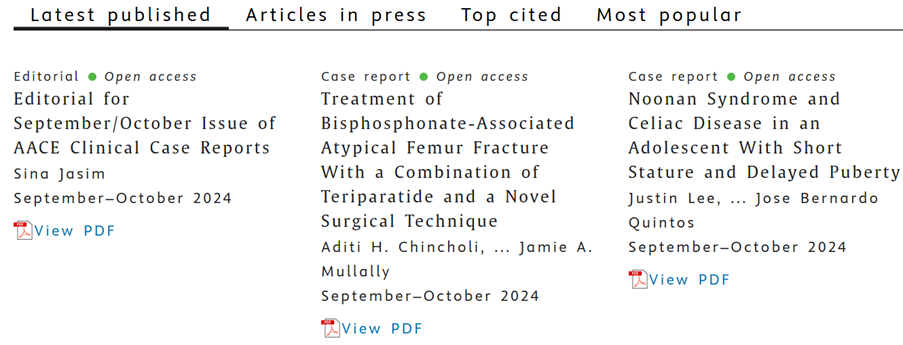
Article page
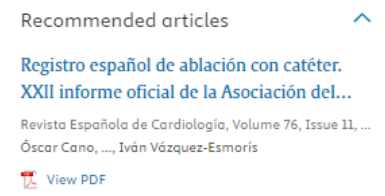
- Fixed the “view PDF” link under each non-English article title in the Recommended article section to prevent it from inheriting the language attribute from the parent, ensuring that it is announced with an English accent.
- Fixed the “Show abstract”/”Hide abstract” link under each non-English article title in the Cited by section to prevent it from inheriting the language attribute from the parent, ensuring that it is announced with an English accent
Browse journals and books page
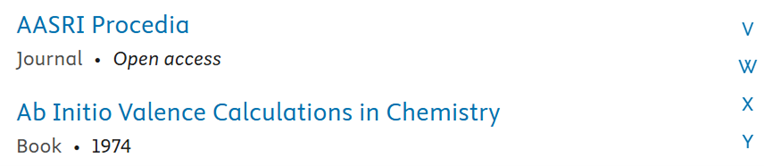
- Added aria-label ”Filter publication by letter” to the letter links on the Browse Journals and Books page. This ensures users understand the function and purpose of this section improving overall navigation.
- WCAG 2.1 - 2.4.4 Link Purpose
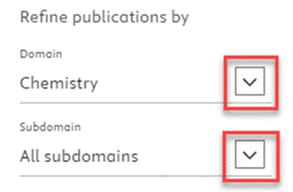
- Renamed the buttons that open the Refine Publication panel to "Select domain" and "Select subdomain" instead of "Domain" and "Subdomain." This ensures screen readers accurately convey the purpose of these buttons.
- WCAG 2.1 - 4.1.2 Name, Role, Value
General updates
- Fixed the accessibility errors reported in the automated Wave test, enhancing usability for assistive technologies “missing form label”.
- WCAG 2.1 - 1.3.1 Info and Relationships
- Fixed a WebAIM alert caused by redundancy in the Global Header with user and account information where tooltips duplicated visible label text.
- WCAG 2.1 - 3.1.2 Language of Parts
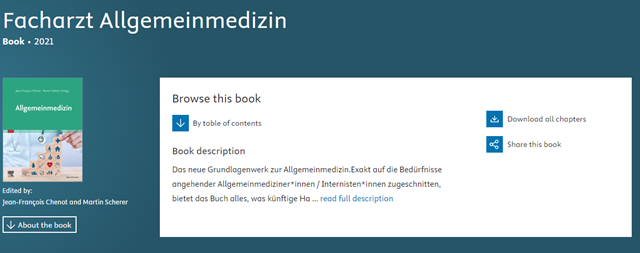
- Added lang tags for books in languages other than English. All relevant sections, including book title and subtitle, book description, section titles, and chapter titles, are now marked in the given language so that assistive technologies read them correctly.
- WCAG 2.1 Success Criterion 3.1.2 - Language of Parts
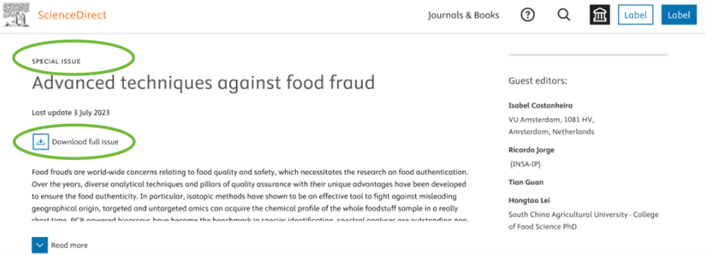
- Improved heading structure for special issues by making the issue title an H1. This ensures better accessibility by providing a clear hierarchical structure and improving navigation experience.
- WCAG 2.1 Success Criterion 1.3.1 - Info and Relationships
- Fix the Skip to main content link which now leads to the search box on the journals and books browse page.
- WCAG 2.1 Success Criterion 2.4.1 - Bypass Blocks
Journal browse page
We made adjustments to the content layout so that people who zoom in at 200% or more can access all the page content. WCAG 2.1 success criterion 1.4.10 - Reflowopens in new tab/window.
Book pages
We updated the text description (aria-label) on the "View PDF" link to say "View PDF, opens in a new window". This change helps users understand what will happen when they click the link, ensuring a predictable experience. WCAG 2.1 success criterion 2.4.4 - Link Purposeopens in new tab/window.
General updates
We added "society logo" to the alternative text (alt text) of the journal society logos. This makes the description more meaningful for people using a screen reader. WCAG 2.1 success criterion 1.1.1 - Non-text Contentopens in new tab/window.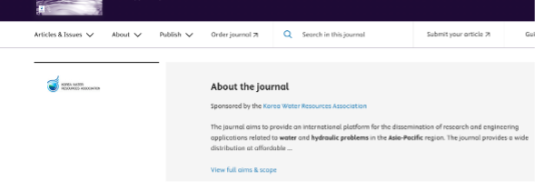
2023
Reading History and Recommendation pages
We added the lang attribute to article and chapter titles for non-English titles. This allows screen readers to switch to the indicated language and announce the titles correctly. WCAG 2.1 success criterion 3.1.2 - Language of Partsopens in new tab/window.

General updates
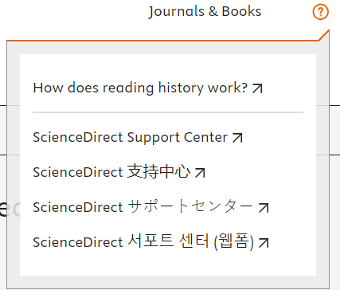
- Fixed the tagging in the ScienceDirect Support Center pop-up to ensure that English and non-English text are announced in their respective languages. WCAG 2.1 success criterion 3.1.2 - Language of Partsopens in new tab/window.
.
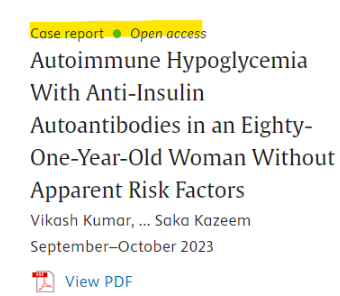
- Improved tagging of article info items (article type, OA marker) that were incorrectly encoded as Definition Description. The tagging is now announced correctly by screen readers and is consistent with other access type labels. WCAG 2.1 success criterion 1.3.1 - Info and Relationshipsopens in new tab/window
- Updated aria-labels to align with visible content, ensuring more effective announcements by screen readers for better navigation. WCAG 2.1 success criterion 4.1.2 - Name, Role, Valueopens in new tab/window.
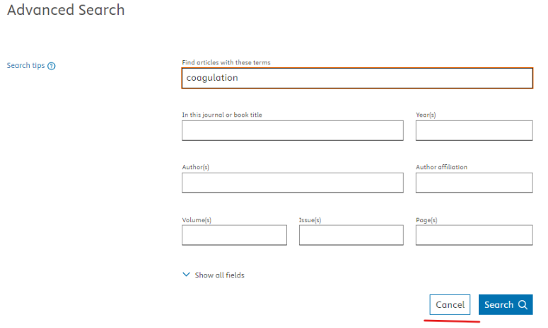
- 'Cancel' button in Advanced search.
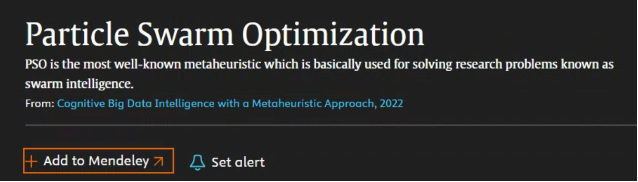
- 'Add to Mendeley' button on Topic pages.
Journal pages
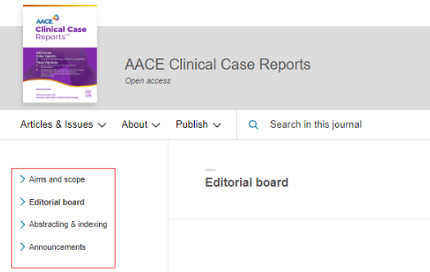
- Enhanced tagging of left-hand navigation links on the Journal About pages. They are now announced as a list with the number of items, providing a better understanding of the information structure to screen reader users. WCAG 2.1 success criterion 1.3.1 - Info and Relationshipsopens in new tab/window.
- Updated alt text for the editorial board's images on a journal page to include the editors' names, providing more meaningful information.WCAG 2.1 success criterion 1.1.1 - Non-text Contentopens in new tab/window.
General updates
Aria-labels are more descriptive and align with the visible content allowing for effective navigation
WCAG 2.1 success criterion 2.4.4 Link Purpose (In context)(A)opens in new tab/window, WCAG success criterion 2.5.3 Label in Name (A)opens in new tab/window
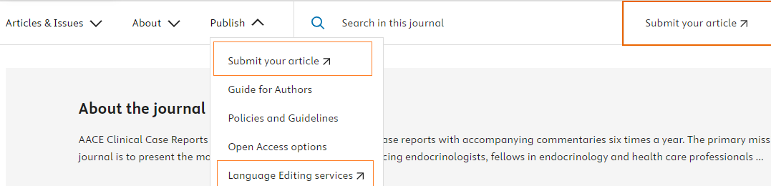
- Links styled with an up arrow icon are now announced as “link opens new window”.
- Updated aria-labels of the quick search header to “Search ScienceDirect" so that it aligns with the visible content allowing for more effective/informed navigation.

Colour contrast improvements
WCAG success criterion 1.4.3 Contrast (minimum)(AA)opens in new tab/window
- Breadcrumb labels below search box

- Collapsed chevrons and highlighted query matches in search results

Article page
Focus returns to author name link after closing the author panel
WCAG 2.1. success criterion 2.4.3 Focus Order (A)opens in new tab/window
After closing the author panel with Esc or Close button, the focus on the Article page returns to the invoked author name link. This ensures that screen reader users can easily grasps their location on the page, preventing disorientation. 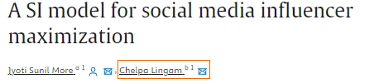
Journal pages
Improved keyboard navigation of the Article preview section
WCAG 2.1 success criterion 2.1.1 Keyboard (A)opens in new tab/window
When an article preview is expanded, the resulting scrollbar pane can now be navigated by the keyboard.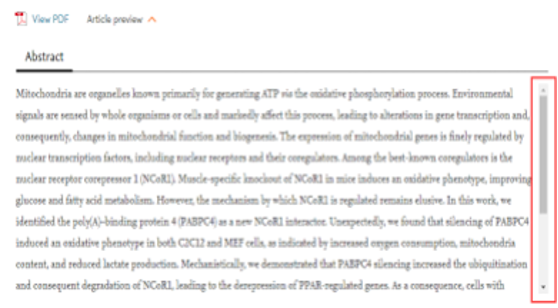
Menu items that were triggered on hover can now be dismissed with the Esc key
WCAG criterion 1.4.13 Content on Hover or Focus (AA)opens in new tab/window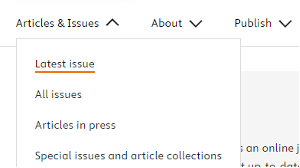
Topic pages
Screen reader announces search results on Topic pages
WCAG 2.1. Success Criterion 4.1.3 Status Messagesopens in new tab/window
The total number of results in the header are announced by screen readers. This makes it easier for screen reader users to gauge the scope of the information available for each topic and makes it easier to find the information they are looking for.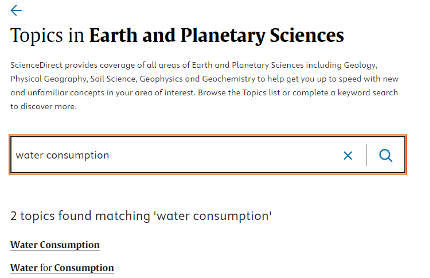
Journals & Books browse page
Removed overlay that appeared on zooming to 200%+
WCAG success criterion 1.4.10 Reflow (AA)opens in new tab/window
Enabled screen readers to detect the Domain and Subdomain drop-downs
WCAG criterion 4.1.2 Name, Role, Value (A)opens in new tab/window
This provides clear information about the purpose of each dropdown and allows for smooth publication refinement. 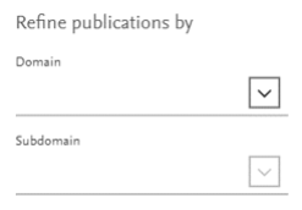
Reading History
The corresponding date is announced for each Reading history section
WCAG success criterion 1.3.1 Information and Relationships (AA)opens in new tab/window 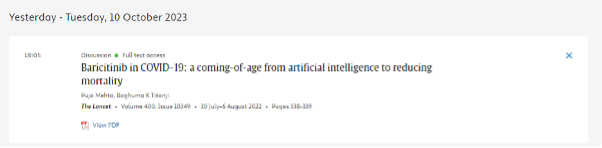
2022
Closed captions - WCAG 2.1 criterion 1.2.2 Captions (A)
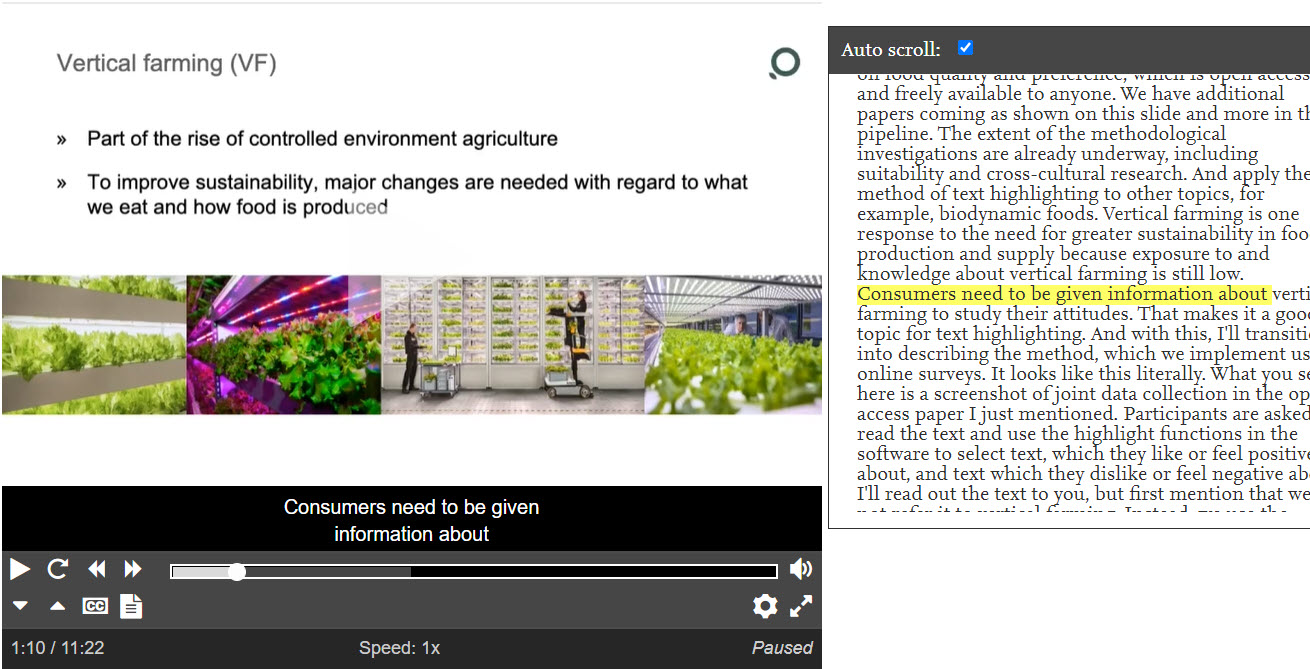
A new open access video journal, Science Talksopens in new tab/window, was launched in March. Closed captions and rolling transcripts are available for all video articles published in this journal and rendered in a fully accessible media player.
Users who choose to display closed captions can customise the appearance of the text (position, font, size, colour, opacity and background). A video transcript can also be displayed to the side of the article. This transcript will auto-scroll as the video is played, but it is also possible to read through it independently of the video playing, or even click on a sentence to get the video to play from that precise location.
Following up on this successful pilot, we are working on making closed captions and transcripts available for the other video journals on ScienceDirect.
Tagged PDFs - WCAG 2.1 criterion 1.3.1 Info and Relationships (A)
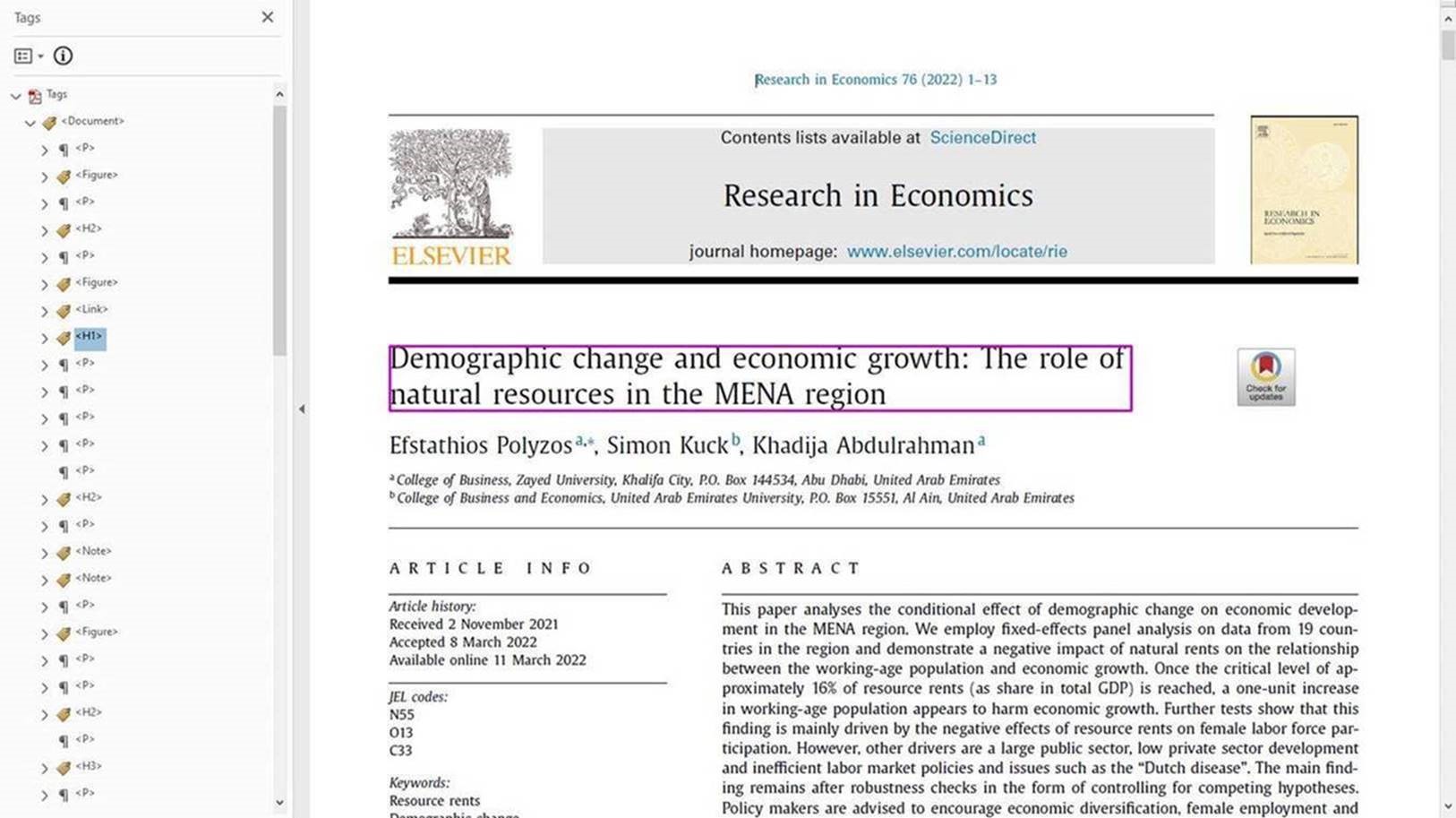
We have started enhancing the accessibility of our PDFs with a new feature for people using assistive technology. By adding a set of tags to identify elements such as headings, paragraphs, figures and links, we provide assistive technology tools with a detailed representation of the article structure, which translates into a superior navigation and reading experience for screen reader users. This feature is currently available for all new articles published in a selection of 51 journals, e.g. Scientific Africanopens in new tab/window and Cognitive Robotics, and will progressively be rolled out to more journals over the coming months.
Other improvements
WCAG 2.1 criterion 1.3.1 Info and Relationships (A): Landmarks have been restructured on search results pages to ensure all page content is contained by a landmark, and that no landmarks are empty.
WCAG 2.1 criterion 1.4.3 Contrast (Minimum) (AA):
- The open access label has been changed on article & chapter pages as the previous version (orange text on white background) did not offer enough colour contrast. It has been replaced by a dark grey label preceded by a green dot, which was already in use on issue table of contents and search results pages.
- The colour of the “Brought to you by” label on search results pages has been changed to meet contrast requirements.
WCAG 2.1 criterion 1.4.11 Non-Text Contrast (AA): On the Search history and Reading history pages, colour contrast issues have been resolved in the dialog window that appears on toggle.
WCAG 2.1 criterion 2.1.1 Keyboard (A): On the Search history and Reading history pages, keyboard access has been improved to avoid focus getting lost behind the dialog window that appears on toggle.
WCAG 2.1 criterion 2.4.7 Focus Visible (AA): Focus rings have been improved on book pages to ensure they are visible on all 4 sides instead of only 3 previously.
WCAG 2.1 criterion 3.1.2 Language of parts (AA): A language tag was added in the site header, to indicate the language of the Japanese and Chinese language links.
WCAG 2.1 criterion 4.1.1 Parsing (A): Resolved duplicate identifier issues on Search results pages (search tips and sorting options).
WCAG 2.1 criterion 4.1.2 Name, Role, Value (A): An accessible name was added to the button that closes the dialog window that appears on toggle on the Recommendations, Search history and Reading history pages.
WCAG 2.1 criterion 4.1.3 Status Messages (AA): When the toggle on the Search history page is switched on or off, the green "Saved" message can now be read out by screen readers.
2021
Colour contrast improvements: links and buttons
All links and buttons on the ScienceDirect homepage have been redesigned to offer better colour contrast in hover state.
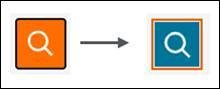
- Links on hover previously appeared with orange text and underline, and now appear in black text with an orange underline:

- Links in focus previously appeared with orange text and black focus ring, and now appear in blue text with an orange focus ring:

- Buttons on hover previously appeared in white symbol on orange background and now appear in black on white, with an orange outline:

- Buttons in focus previously appeared in white symbol on orange background with a black outline and now appear in white symbol on blue background, with an orange outline:
Similar changes have also been made to the tabs on the book page, replacing orange text on focus/hover by black text with an orange underline on focus and an orange outline on focus. 
Search and search results page improvements
Keyboard access:
- The ellipsis in search results entries is now keyboard accessible. Activating it displays the volume and issue information and pagination.

Screen reader support:
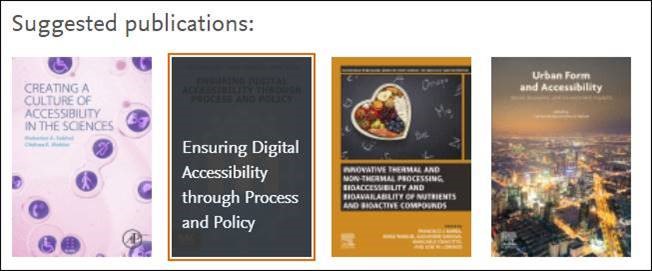
- Alternative text is now available on all cover images in the Suggested Publications section. An outline has also been added on focus, to ensure focus is always visible.
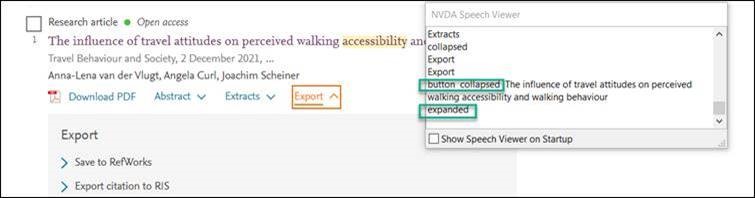
- All expand/collapse buttons on the search results page now have aria-expanded attributes to signal their current state to screen readers. This includes the “Abstract”, “Extracts” and “Export” buttons under each search result, as well as the “Show more” / “Show less” buttons in the search facets.
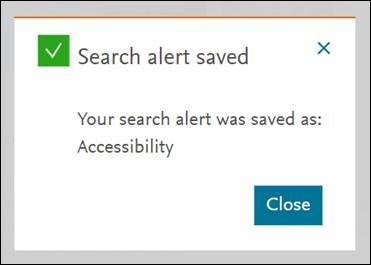
- The confirmation message that appears after saving a search alert no longer disappears automatically after a few seconds. It now remains displayed until closed by the user and can be read out by screen readers. The same change was applied to the message that appears when downloading multiple articles at once.
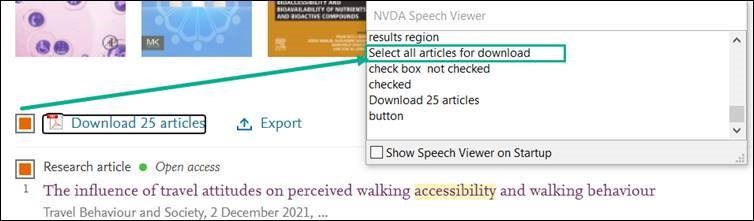
- The checkbox to select/unselect all articles displayed in search results is now accessible to assistive technology users (role = checkbox, aria-label & aria-checked):
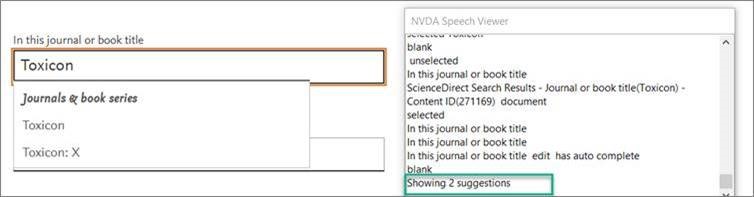
- The number of suggestions that are returned in the journal/book title search box auto-suggest is now announced to screen readers:
New media player
We replaced our media player to make it more accessible. The new player is based on AblePlayer and offers controls that are fully keyboard operable, labelled for screen readers and controllable by speech recognition users. Keyboard shortcuts are provided for all main controls and three choices of modifier key are available.
If you would like to take a look, view an example video on the new media playeropens in new tab/window.
Please note that we are also working on a pilot to make closed captions available for our video content, which this player will fully support once available.
Page structure
- Improved the heading structure on journal pages.
- Advanced Search: Landmarks have been adjusted to better represent page structure, and changes made to recent searches details to ensure they are understandable when read out by a screen reader.
- Topic page image captions: the aria label has been modified to point to an element that contains the title, enabling screen readers to retrieve and read out the caption text associated with images on the topic page.
Keyboard access
- Journal aims & scopeopens in new tab/window: we addressed two bugs that prevented the “aims & scope” side panel from being keyboard operable. The panel is displayed by activating the “View full aims & scope” link, and can now be opened, viewed and closed using keyboard only.
Screen reader experience
- We improved the encoding of links that are repeated for each article in lists, so that screen reader tools can read out the title of the article a link relates to:
- “Download PDF”, “Abstract”, “Extracts” and “Export” links on the Search results pageopens in new tab/window.
- “View PDF” and “Abstract” links on the Reading History pageopens in new tab/window
- A redundant aria label on the “Show all fields” link on the Advanced searchopens in new tab/window page has been removed to ensure that what gets read out by screen readers matches the text displayed on page.
Topic pages
- The “Mehr lesen” button on our German topic pagesopens in new tab/window did not initially change colour on hover. We changed this to ensure that the button’s state changes from blue to orange on hover, providing an additional visual cue that this is a call to action.
- Structural and semantic improvements to the Reaxys reaction & mechanism panelopens in new tab/window which is featured on some chemistry topic pages. Changes to ensure page landmarks are unique, correct use of HTML elements (<button> instead of <a>), added indication that the link to Reaxys opens in a new window.
Search box redesign
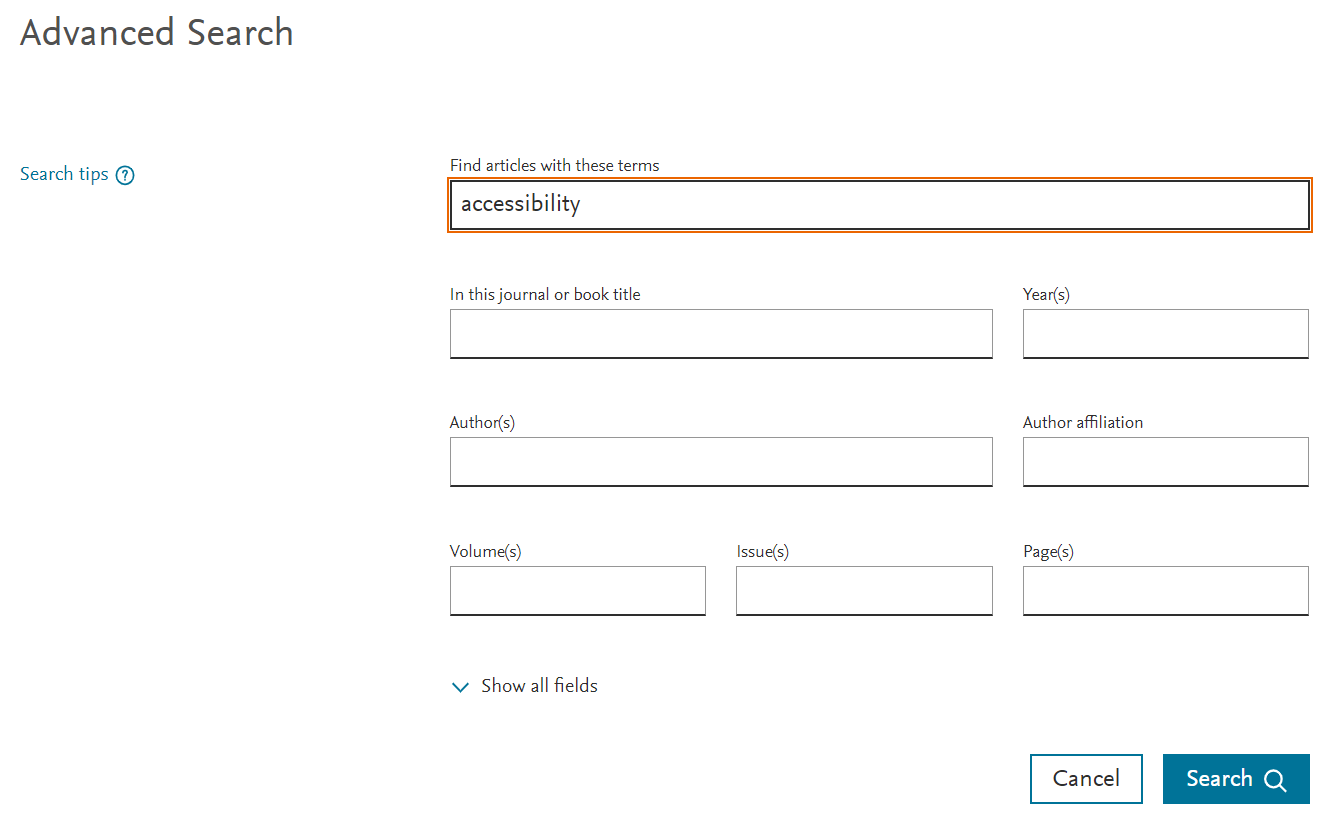
The Advanced Searchopens in new tab/window form has been redesigned to make it easier to perceive and understand:
- The main change is that search input fields now have a complete rectangular outline instead of a simple horizontal line. The outline makes these elements easier to recognize as search boxes and easier to perceive against the white background of the page. It also makes it easier to understand which label matches which input field.
Focus on the input fields has also been improved: an orange outline is added when a given input field is in focus.
These improvements have also been made to the search input on the search results pageopens in new tab/window:

Aria descriptions for article reference links
- Article reference lists are enriched with links allowing readers to locate a given reference on ScienceDirect, Scopus, Google Scholar, or using CrossRef (view an exampleopens in new tab/window). As these textual links are repeated from reference to reference, we apply aria labels so that assistive technology users can determine which reference a given link applies to.
We have fixed a bug that was causing the aria-describedby on these links to reference an identifier that could not be matched. The aria-describedby now always references the identifier associated with that reference’s title.

Page structure & navigability
- The heading structure of the Browse Topicsopens in new tab/window page has been revised to better reflect the page hierarchy. The ‘Related results’ section heading is now an H2 heading instead of H3 previously.
- The “skip navigation” link on the advanced search page has been fixed, ensuring users can skip the site header and tab straight to the search form.
- We have simplified the skip link logic on Journal pages (view an exampleopens in new tab/window) by replacing the old double skip link structure by a single link, so it is more consistent with the rest of the site and faster to operate.
Keyboard Focus
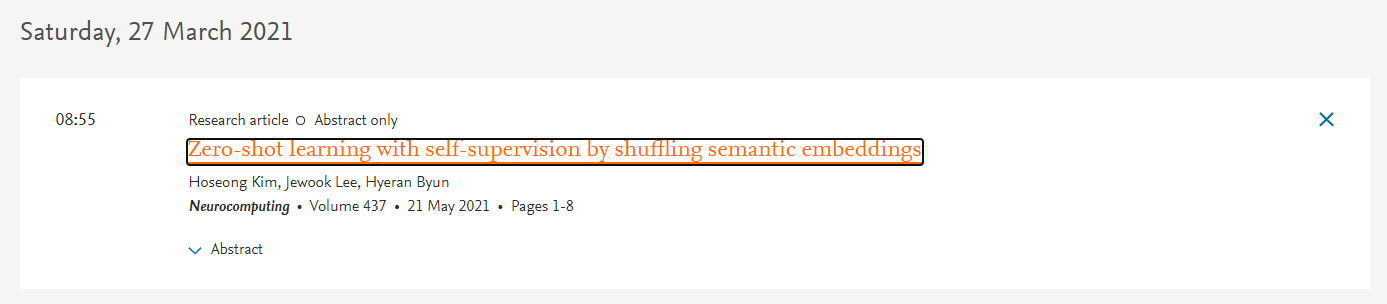
An improvement was made to the Reading Historyopens in new tab/window page in order to improve keyboard experience. When deleting a publication from the reading history, focus would previously be lost. With this latest fix, focus is now moved to the title of the next item on the list, and visible.
2020
Bypass blocks
A few broken skip links have been fixed:
- on all journal Aims & scopeopens in new tab/window pages
- on all journal Editorial boardopens in new tab/window pages
- on the Reading Historyopens in new tab/window page
Alternative text
- Added alt text to the Feedback button on the ScienceDirect home pageopens in new tab/window. We are looking into improving this further by encoding this as a button rather than an image.
- Added alt text to the PlumX logo in the Article Metrics section of the article page. Example of an article pageopens in new tab/window.
Color contrast
- The color of the blue "View details" link in the Article Metrics section of the article page has been adjusted to meet minimum colour contrast requirements.
Headings
- Removed two empty headings on all journal Articles in press pages. Example of an Article in press pageopens in new tab/window.
Labels
- Modified the aria label on the profile button in the site header to match the visible textual label.
- An aria label is now available on the button that closes the Access bar on the article page.
Did we answer your question?
Related answers
Recently viewed answers
Functionality disabled due to your cookie preferences