
View by category
How do I register / sign in to PharmaPendium?
Last updated on May 01, 2026
IP/Proxy access to PharmaPendium
If you are accessing PharmaPendium from an authorized IP or proxy, you’ll be arriving directly to the Quick Search page (main page) and you can use PharmaPendium as anonymous user*.
*some users won’t be able to be anonymous. Some accounts have opted-in to be signed-in/registered.
If you want to register or sign in once you gain access:
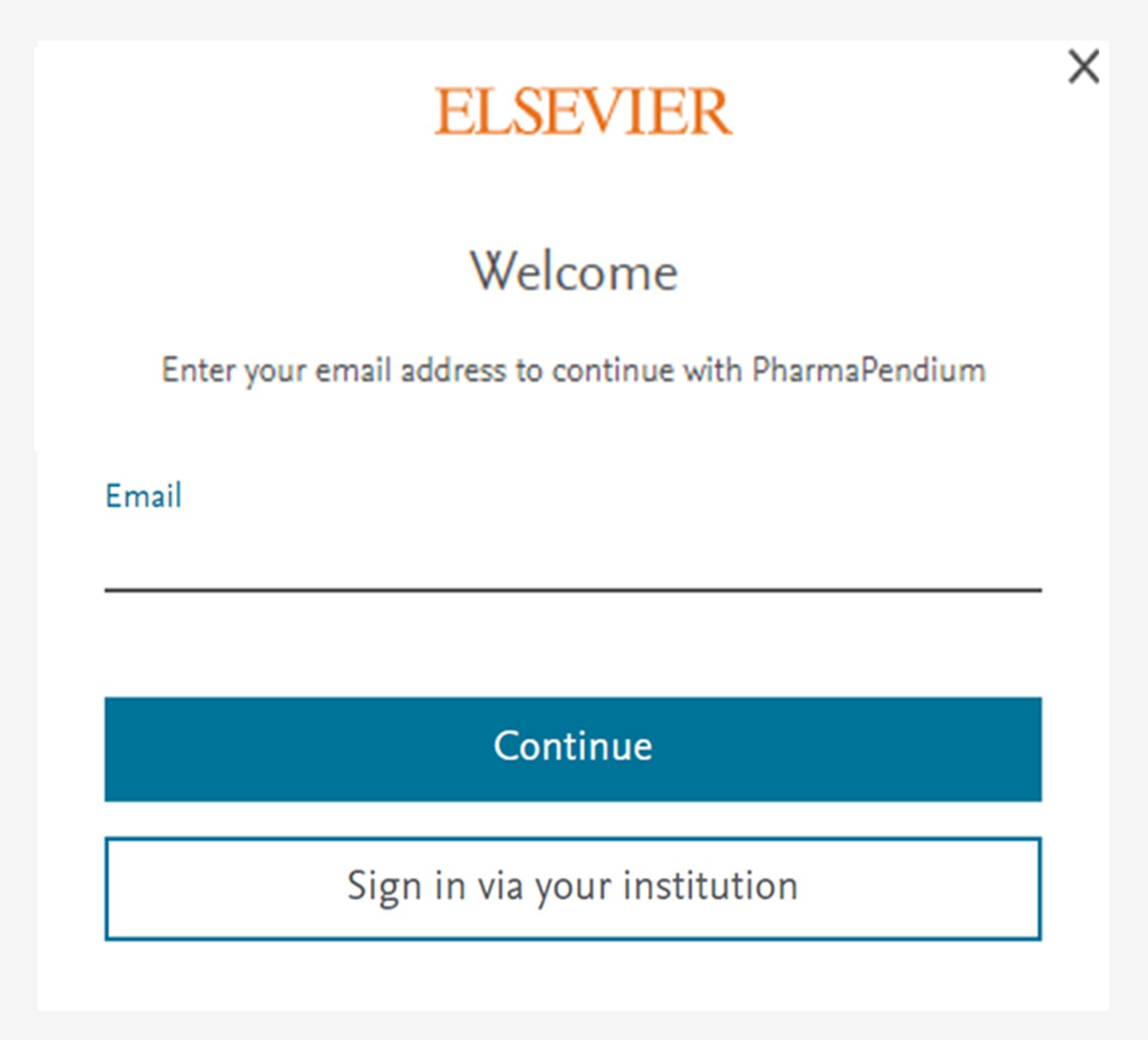
Click 'Sign in' to access this page:
Enter your email and click on ‘Continue’. The next step will be different whether you’re registered (have an account) or not:
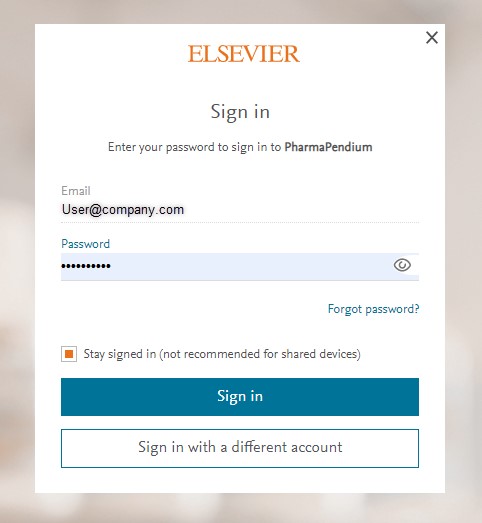
- If you have an account (previously registered), it’ll ask for your password, so you’ll be able to sign in.
- If you’re not registered, you’ll be accessing the following screen where it’ll ask the personal details and will allow you to create an PharmaPendium account.
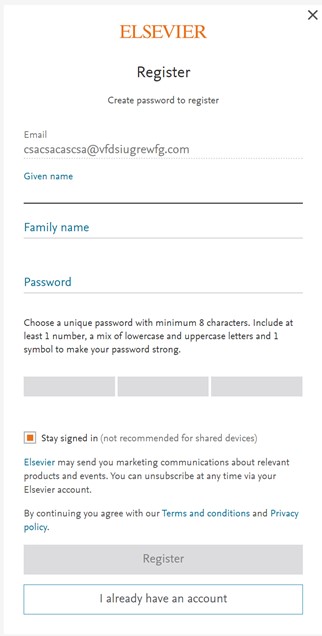
Note: If you have an account with another Elsevier product you can use the same credentials to sign-in into PharmaPendium.
If your institution doesn’t have direct access to PharmaPendium or you’re trying to access PharmaPendium outside your institution. You’ll arrive to the following page:
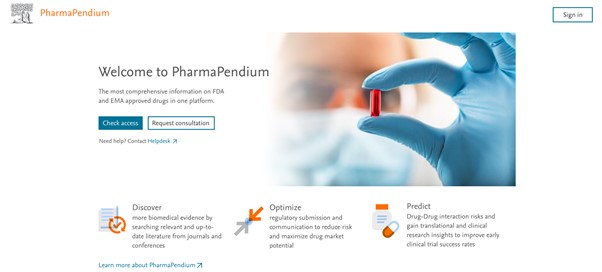
You’ll have two options here, ‘Sign in’ and ‘Check access’. These buttons do different things:
Sign in
Signing into a product, usually by providing your email address and your password, allows Elsevier to show you content that is specific to you and to personalize your experience (save searches, alerts etc…).
When you are signed in you are no longer anonymous.
Check access
Elsevier needs to know which institution you are from so you can get access to your institution's PharmaPendium subscription. You do not need to create an Elsevier account or sign into Elsevier to get access to your institution’s subscribed content.
Search for your institution to check your institutional access.
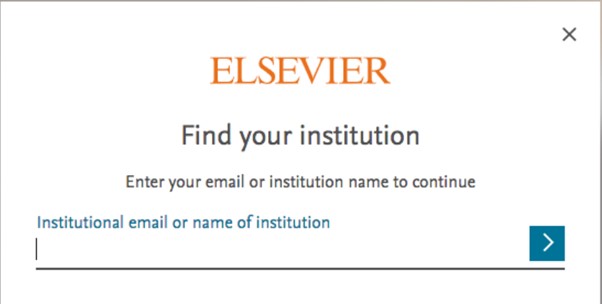
Once you choose your institution you will be directed to the remote access method that is supported by your institution, such as Federated Access.
To save time in future, you can create an Elsevier account and connect it to your institution. That way you can use your registered email to access PharmaPendium outside your institution.
Why is it mandatory for me to be signed-in or registered?
Some users will now have to register or sign-in to get access to PharmaPendium. It replaces the 'one-time email request' that your administrator from your institution has asked to put in place in order to track usage.
This mean the user will see:
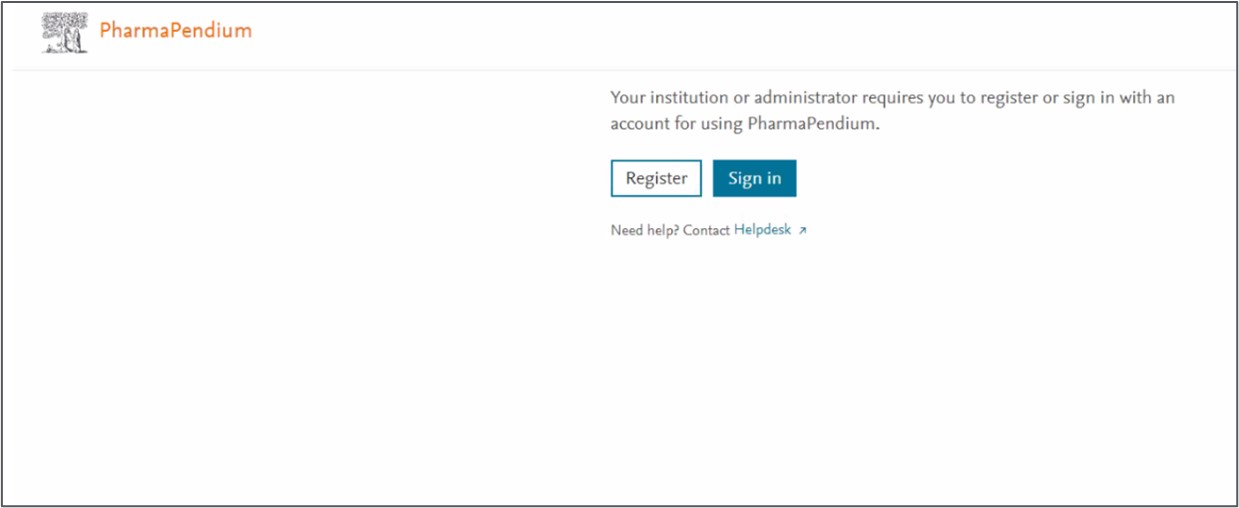
You can click 'Register' or 'Sign in'. the system will check if you have an account (email and password) or if you need to create an account.
Note: If you have an account with another Elsevier product you can use the same credentials to sign-in into PharmaPendium.
Using Registration or Bulk ID credentials
How
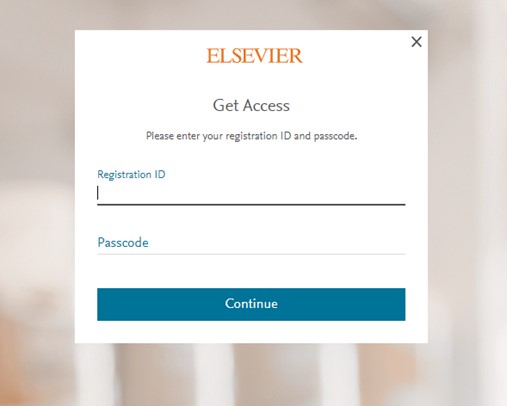
- Visit our Registration ID redemption site at: https://www.pharmapendium.com/register
- In the below box that opens, type inthe Registration ID and password in the appropriate boxes and press 'Continue'.
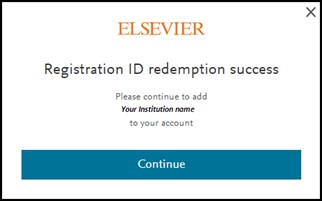
- You will see a redemption success screen and click 'Continue'.
- The next step depends on whether you have an Elsevier account.
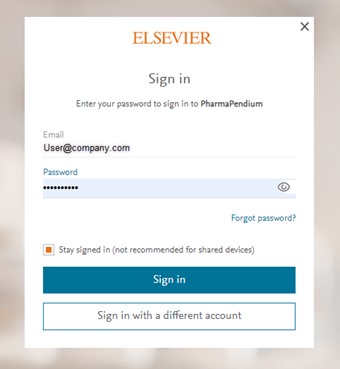
- If you have an Elsevier account, you can sign in via Username and password OR via your institution.
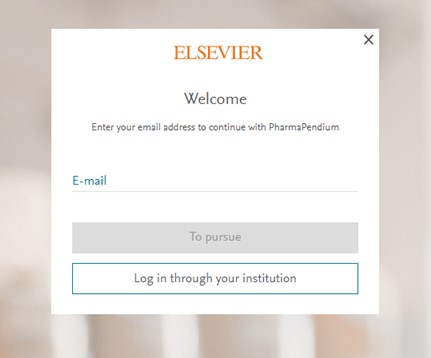
- Enter your email address.
- If you have a user account that is linked to an institutional credential, you will be automatically prompted to sign in via your institution.
- If you do not have a user that is linked to an institutional credential, then you will need to provide your password.
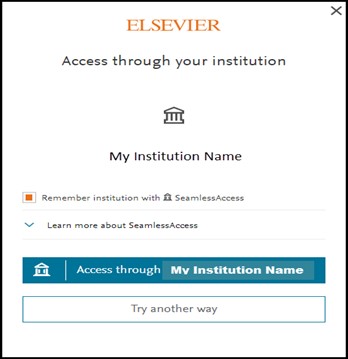
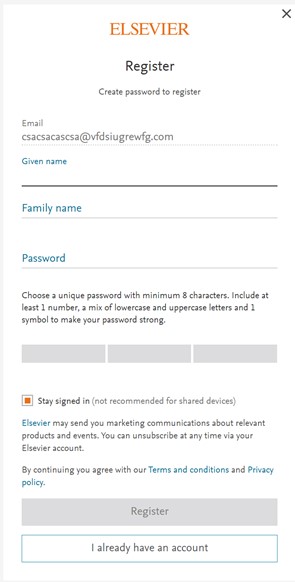
- If you do not have an Elsevier account, you will be asked to register so that you can gain access to your institutional subscription.
- And you are done. You will now be able to access your institution’s PharmaPendium subscription from any device, anywhere. Just open your browser, go to https://www.pharmapendium.com/.
Did we answer your question?
Related answers
Recently viewed answers
Functionality disabled due to your cookie preferences