
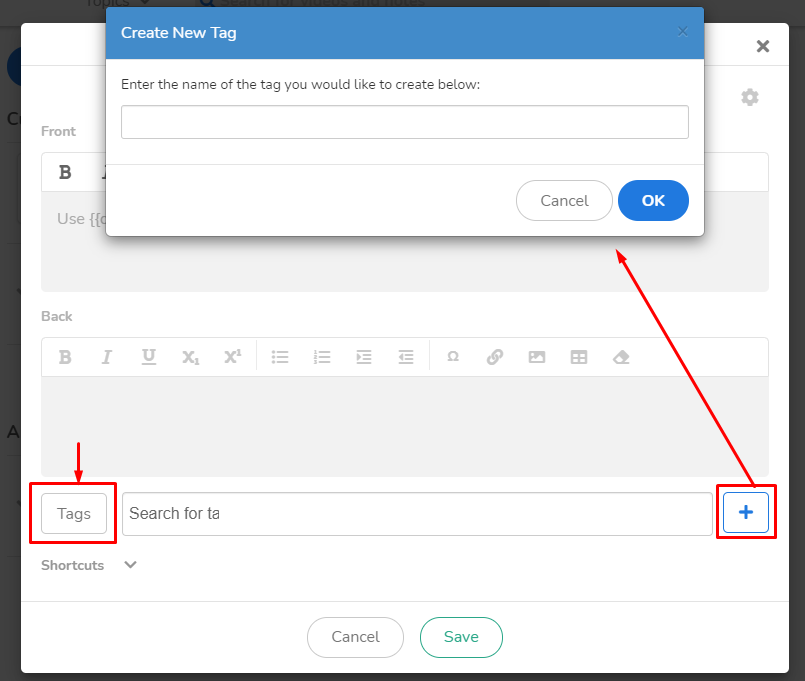
Create new card > click "Tags" > click "+" > name your new tag > save the card and close (this allows for the system to formally recognize the tag). Refresh the page.
You can now quickly preview to see your card by using the filtering options.
If you have any questions or need further assistance, please don’t hesitate to reach out to our team at [email protected]opens in new tab/window. You can also click on then chat icon to chat with us in real-time!
We are more than happy to help!
Did we answer your question?
Recently viewed answers
Functionality disabled due to your cookie preferences