
How to Reset the Flashcards and Questions in Your Queue
Last updated on October 13, 2025
Managing Your Saved Flashcards and Questions
If you find that you have too many flashcards and questions piled up in your queue and want to reset them, follow these steps:
Access Your Account Settings: Go to www.osmosis.org/accountopens in new tab/window to access your account settings.
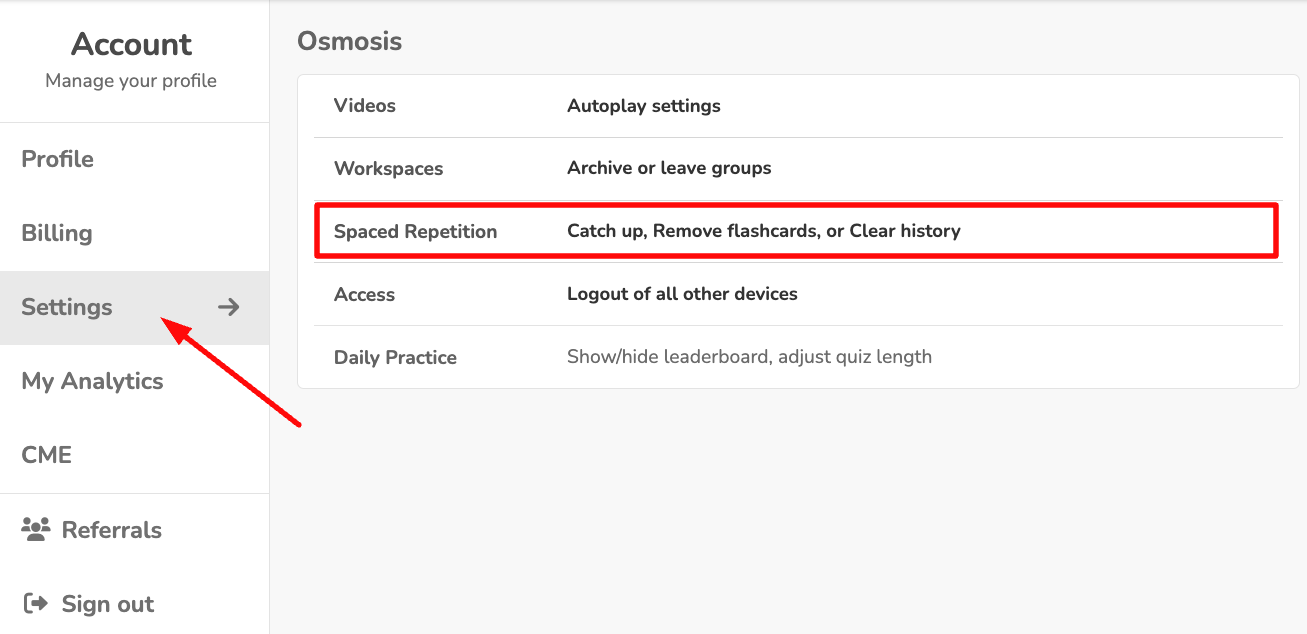
Remove Cards: You can choose to remove the saved cards from your queues. Be cautious—removing these cards will also take them out of your Spaced Repetition Queue, and this action cannot be undone.
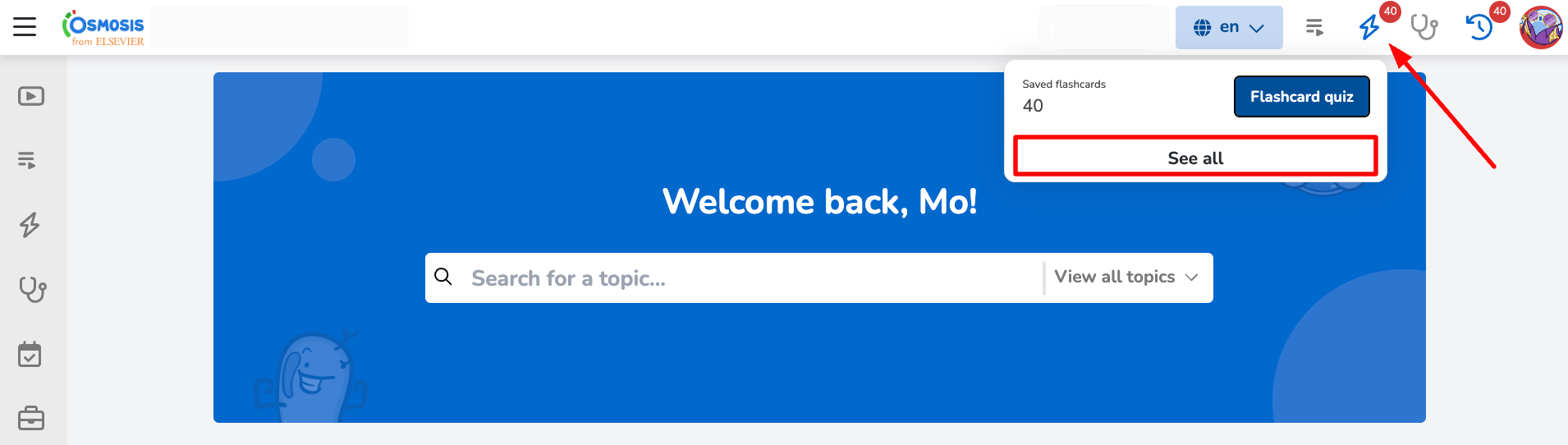
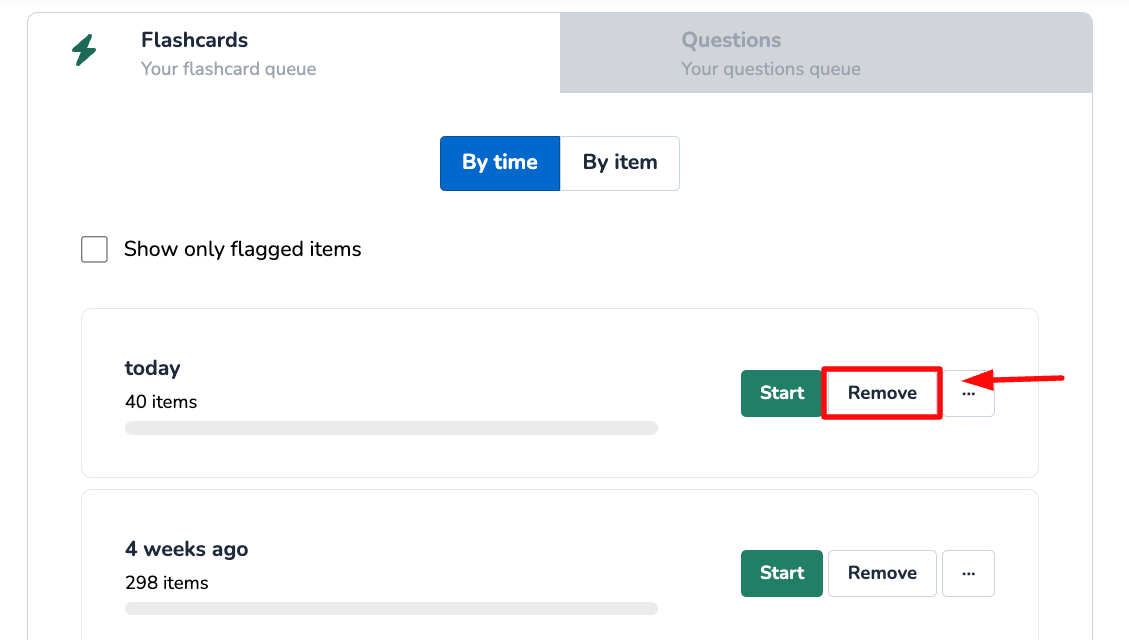
Important Note
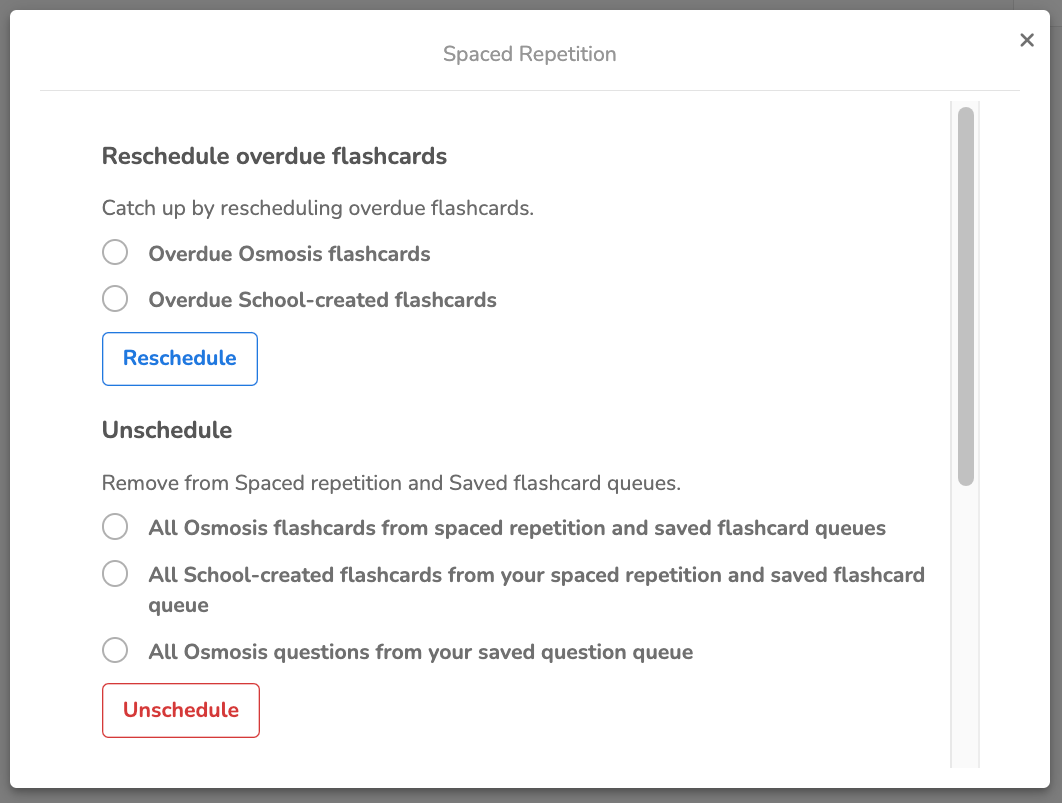
Unscheduling Cards: Unscheduling cards will remove them from both your Spaced Repetition Queue and your Flashcard Queue.
If you encounter any problems or need further assistance, please use the chat bubble located on the Osmosis website, or contact us at [email protected]. Happy learning!
Did we answer your question?
Recently viewed answers
Functionality disabled due to your cookie preferences