
How to Quiz Only on New Flashcards Using the Step 1 Schedule
Last updated on October 13, 2025
Also available in
If you're using your Step 1 Schedule and want to quiz yourself specifically on new flashcards you've never seen before, follow these steps:
Step-by-Step Instructions
Add Flashcards to Your Queue: Begin by adding the flashcards you want to your saved flashcard queue from your Step 1 Schedule.
Access Your Flashcard Queue: Go to your flashcard queue to see your saved cards.
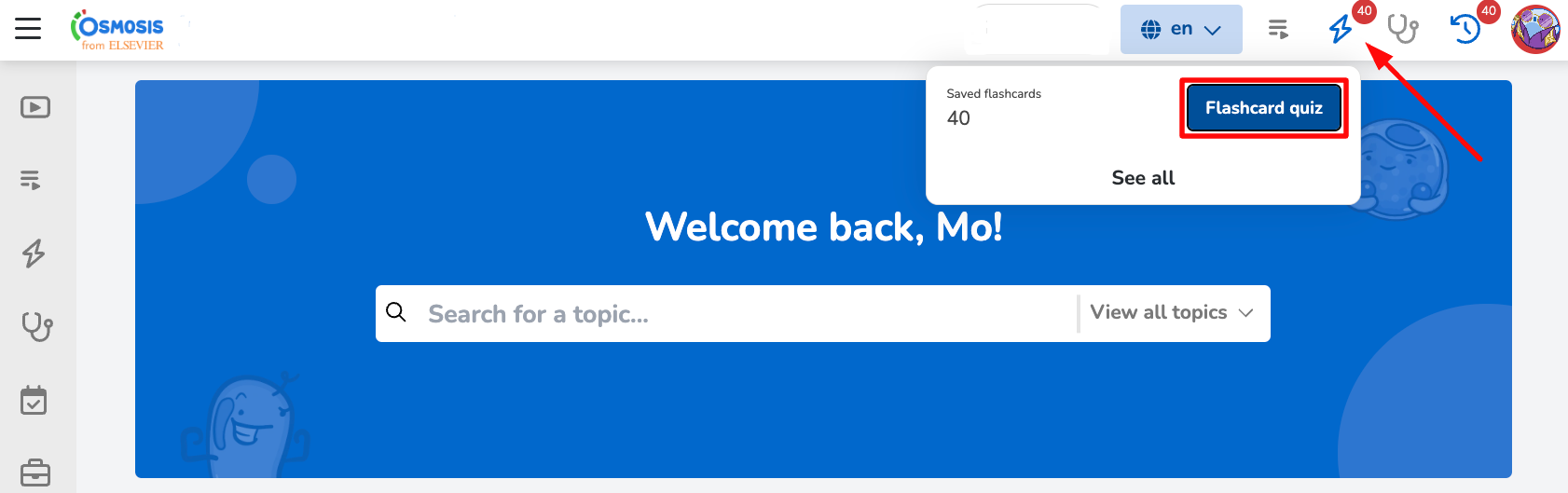
Customize Your Quiz:
Click on “Customize” within your flashcard queue.
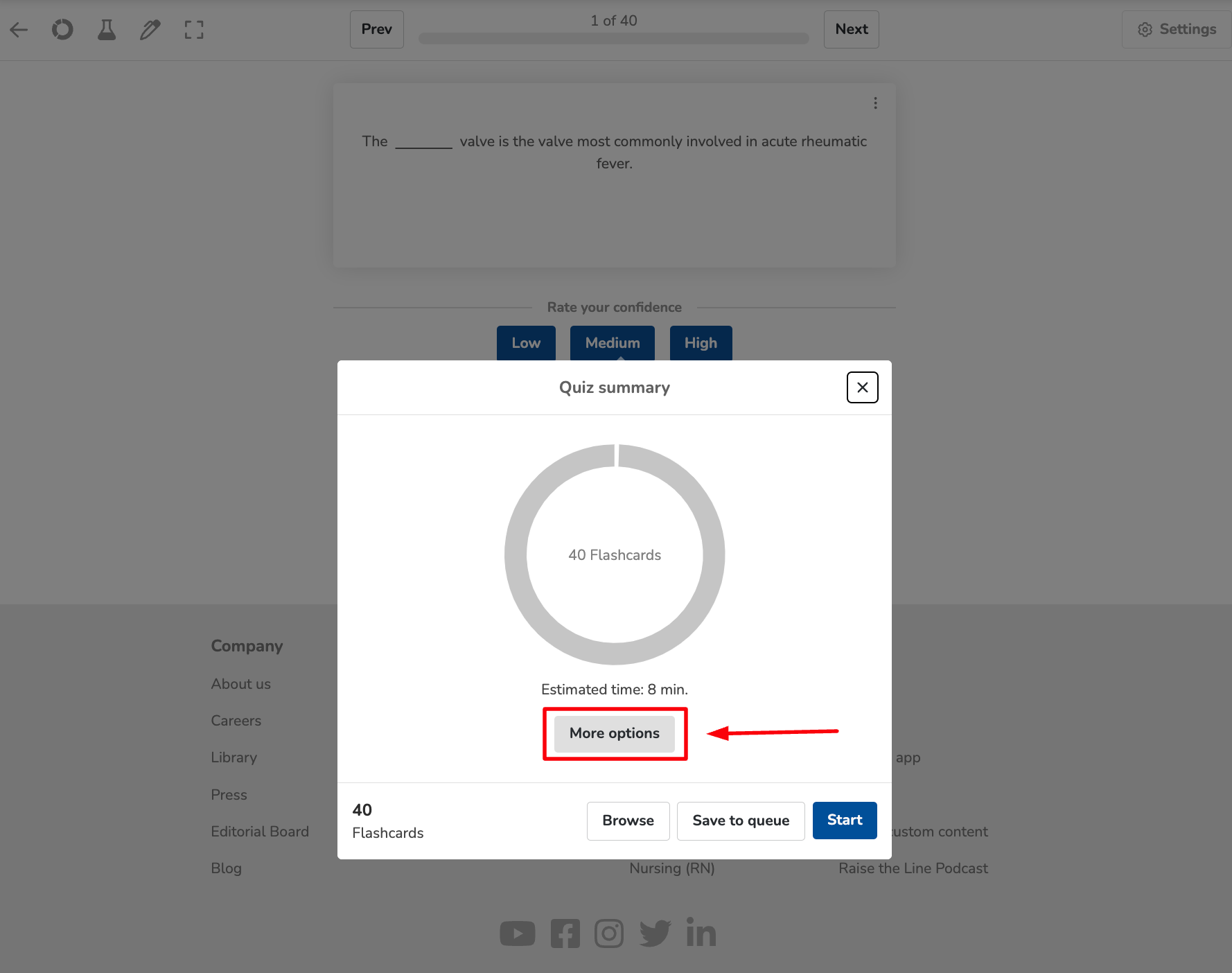
Select “More Options” in the pop-up window.
Select New Cards: Check the option for “new” cards to filter your quiz to only those flashcards you haven’t encountered before.
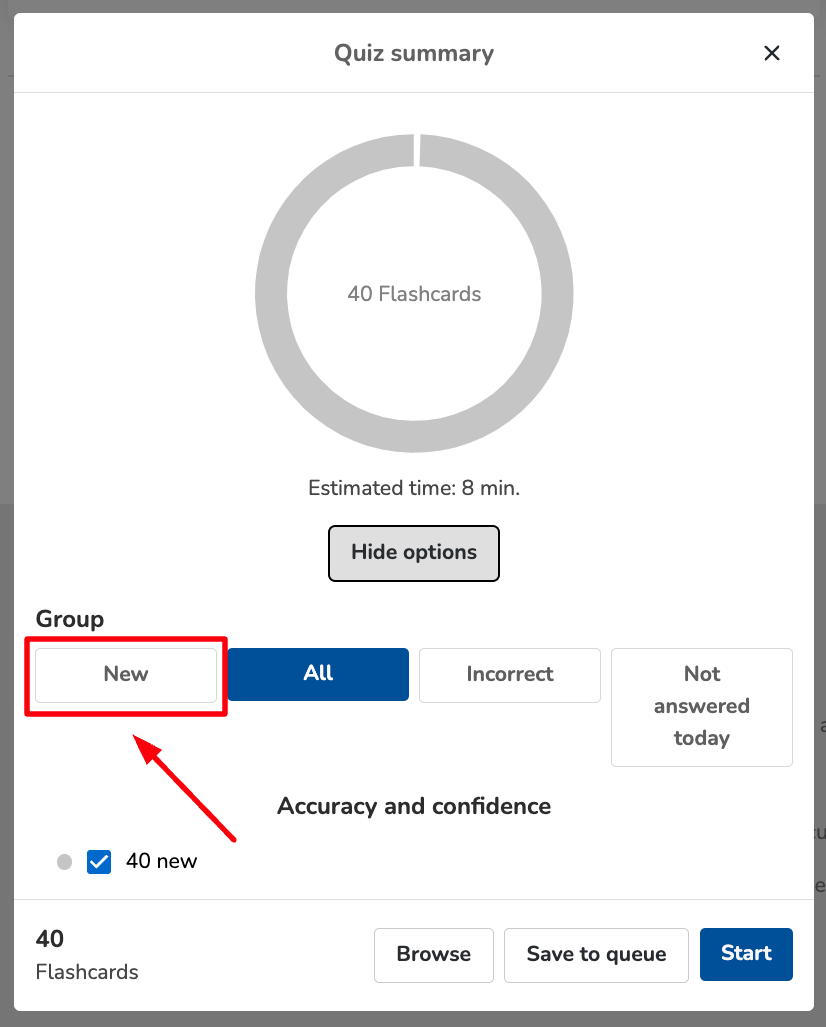
Now you’re ready to start your quiz focused solely on new flashcards!
If you encounter any problems or need further assistance, please use the chat bubble located on the Osmosis website, or contact us at [email protected]. Happy learning!
Did we answer your question?
Recently viewed answers
Functionality disabled due to your cookie preferences