
How to Manually Reschedule Overdue Flashcards
Last updated on October 13, 2025
If you happen to miss answering a flashcard on the day it was assigned, it will be automatically rescheduled by Osmosis. However, if you prefer to manually reschedule overdue flashcards for quicker review, you can do so by following these steps:
Access Rescheduling Menu: Navigate to this linkopens in new tab/window to access your settings:
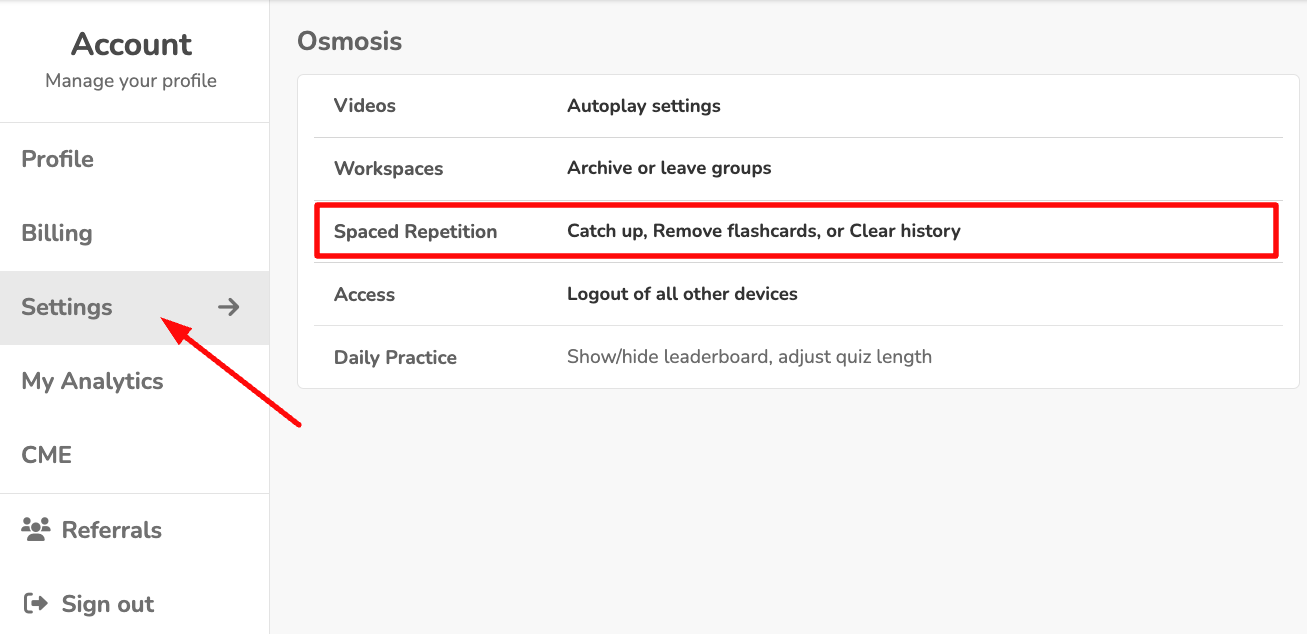
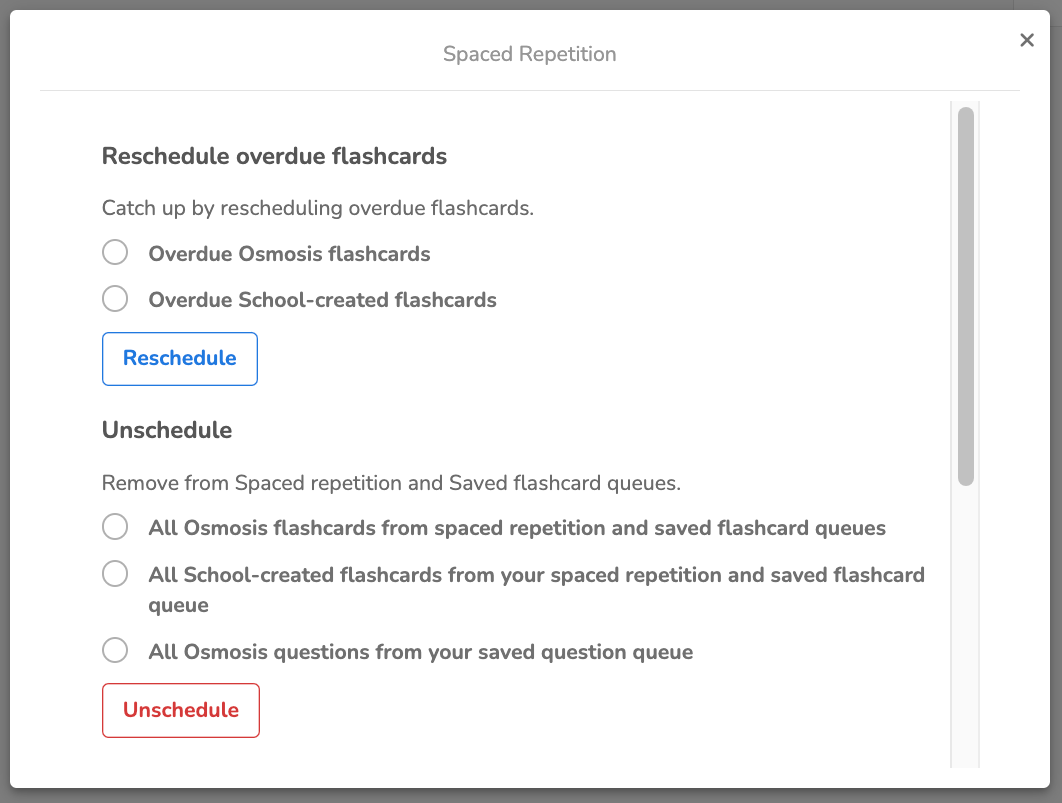
Set Rescheduling Options: On this menu, you can adjust settings related to your flashcard progress and the timing for spaced repetition refresh.
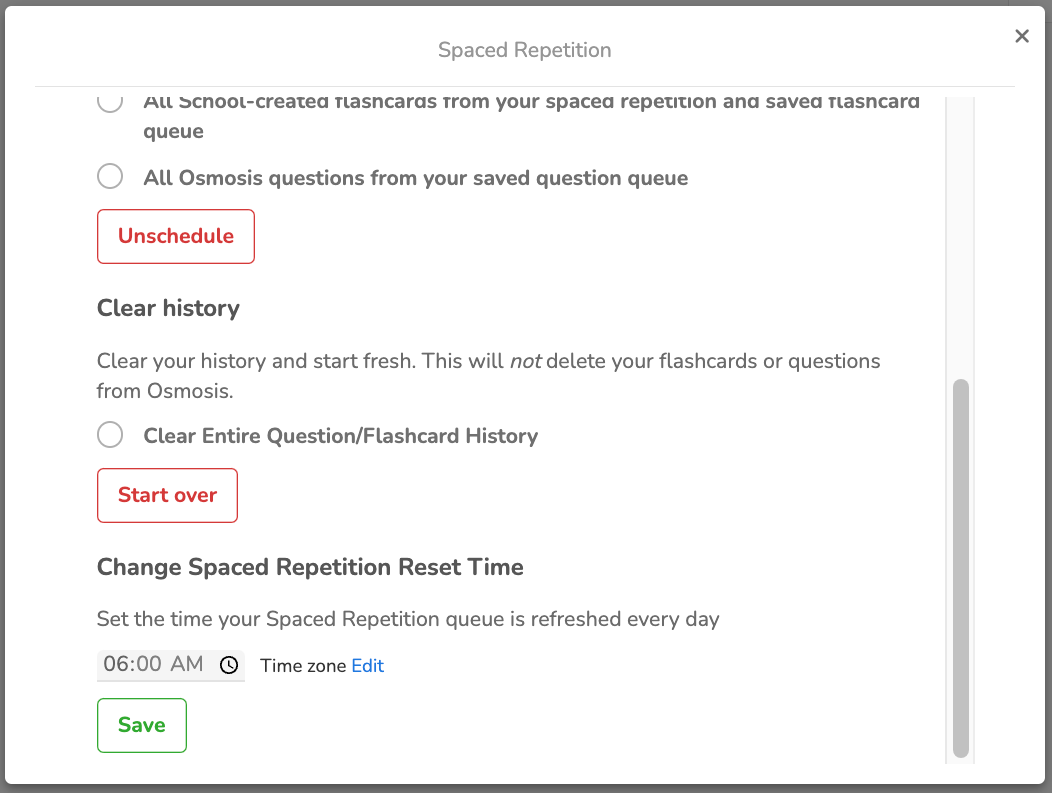
You can also clear your progress history and set the time of space repetition refresh
Rescheduling Tips
Entering "0" in the rescheduling section will reschedule all missed cards for the next day, allowing you to catch up on missed content quickly.
If you encounter any problems or need further assistance, please use the chat bubble located on the Osmosis website, or contact us at [email protected]. Happy learning!
Did we answer your question?
Recently viewed answers
Functionality disabled due to your cookie preferences