
Change Your Password
Last updated on October 13, 2025
If you need to change your password for your Osmosis account, follow these steps:
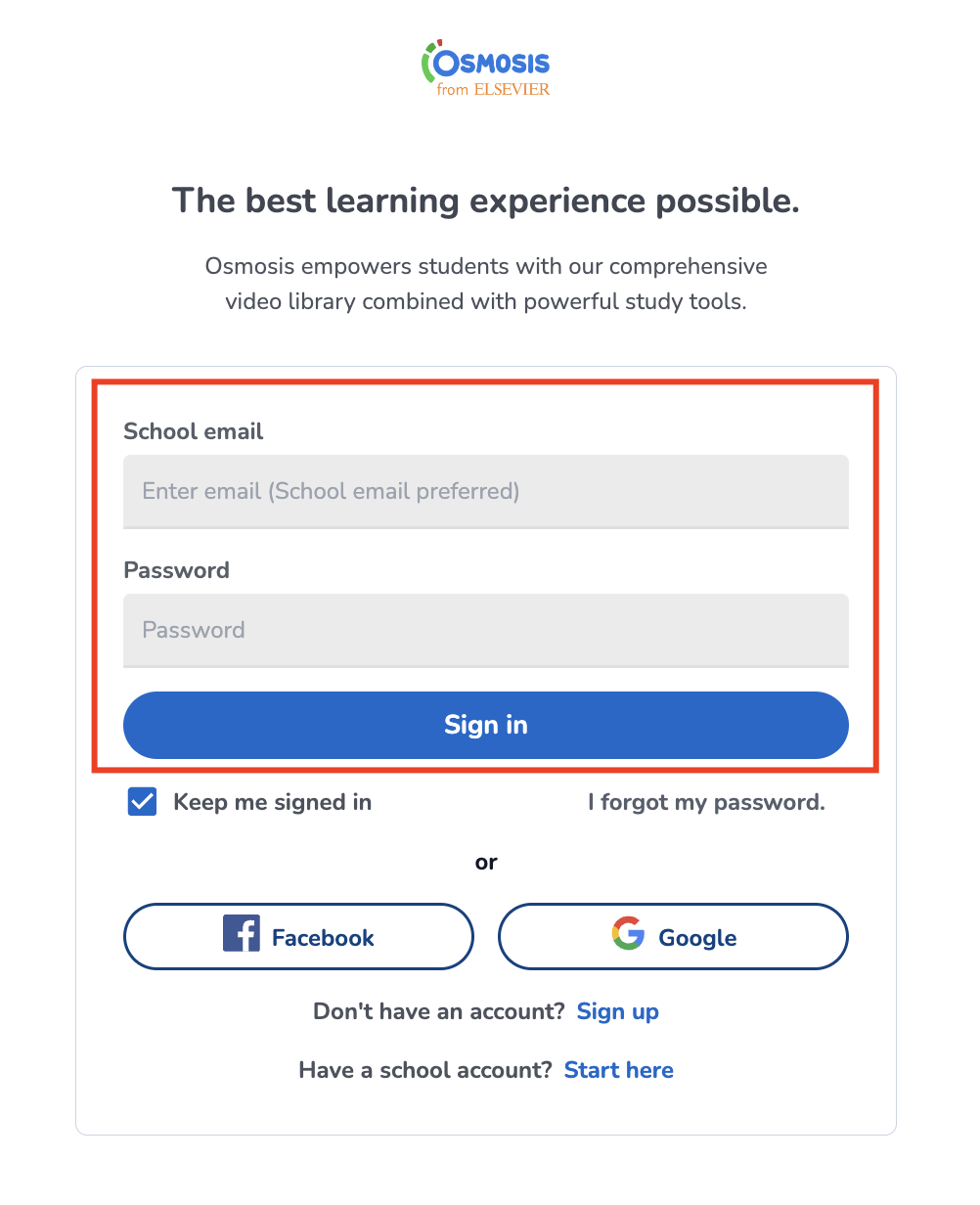
1. Visit the Login Page: Go to Osmosis Loginopens in new tab/window.
2. Sign In: Click on "Sign In."
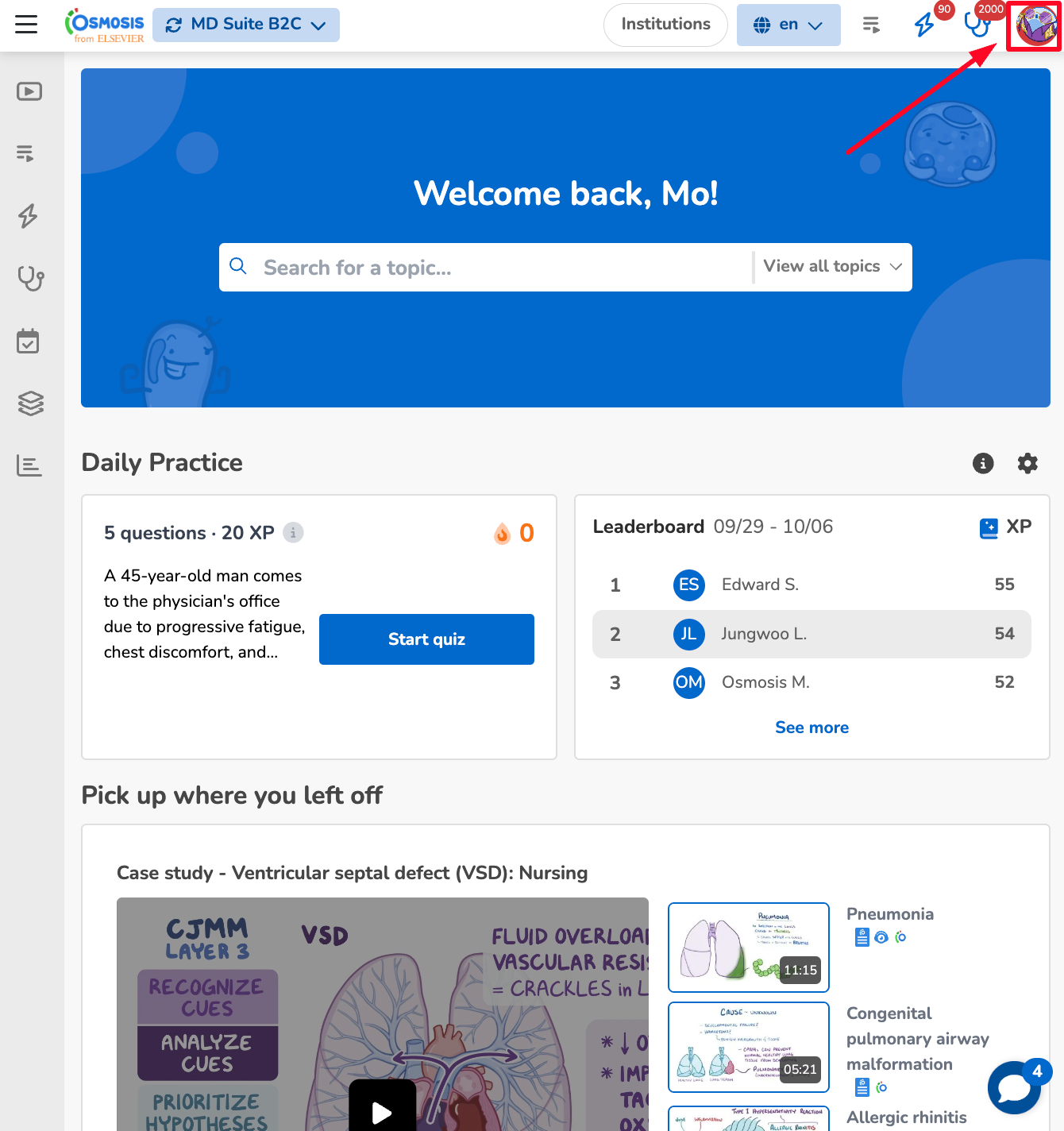
3. Access Your Account: Click the profile icon in the top right-hand corner of the page or go directly to your profile at Osmosis Profileopens in new tab/window.
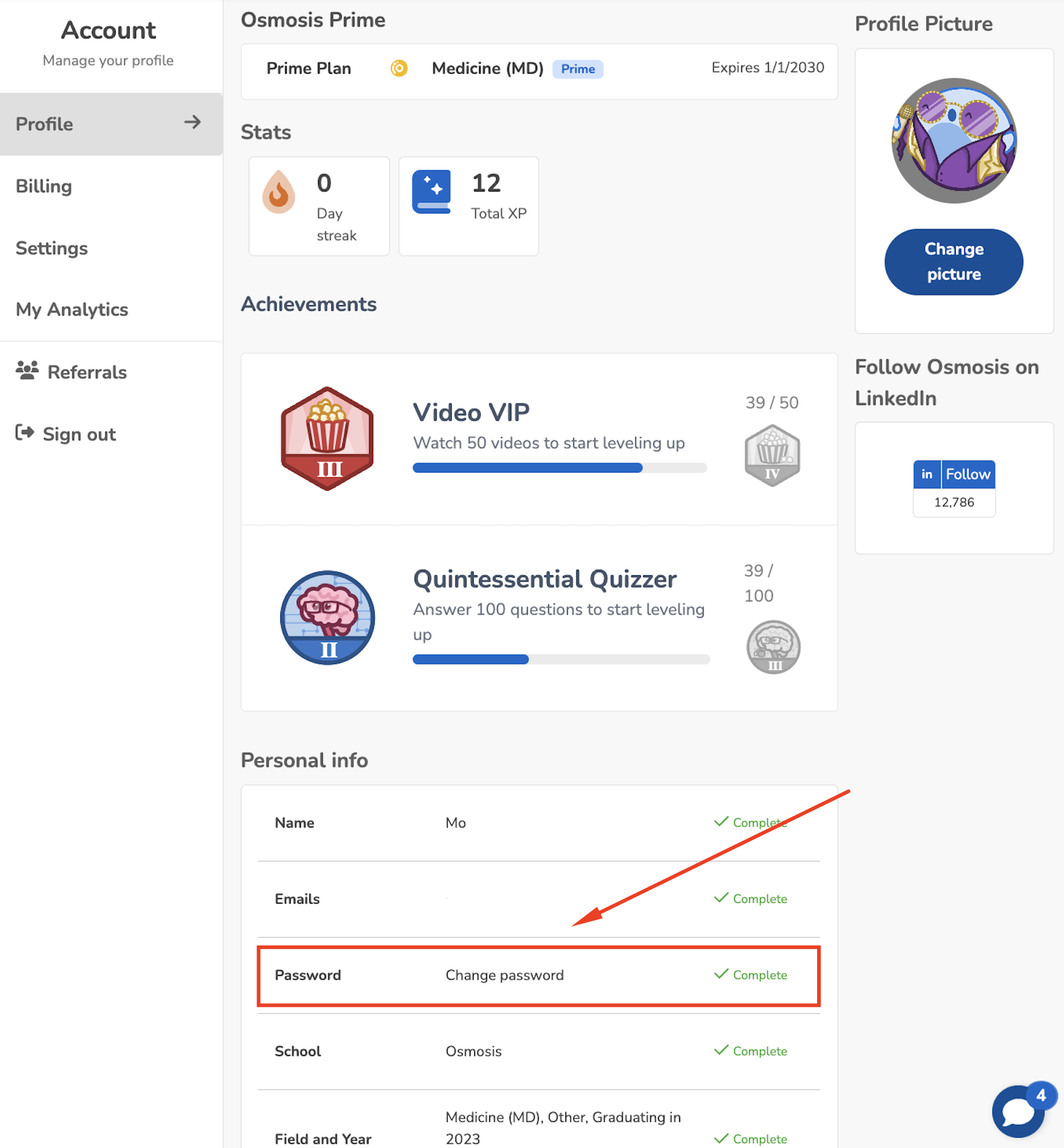
4. Change Password:
In the profile section, click on Change Password.
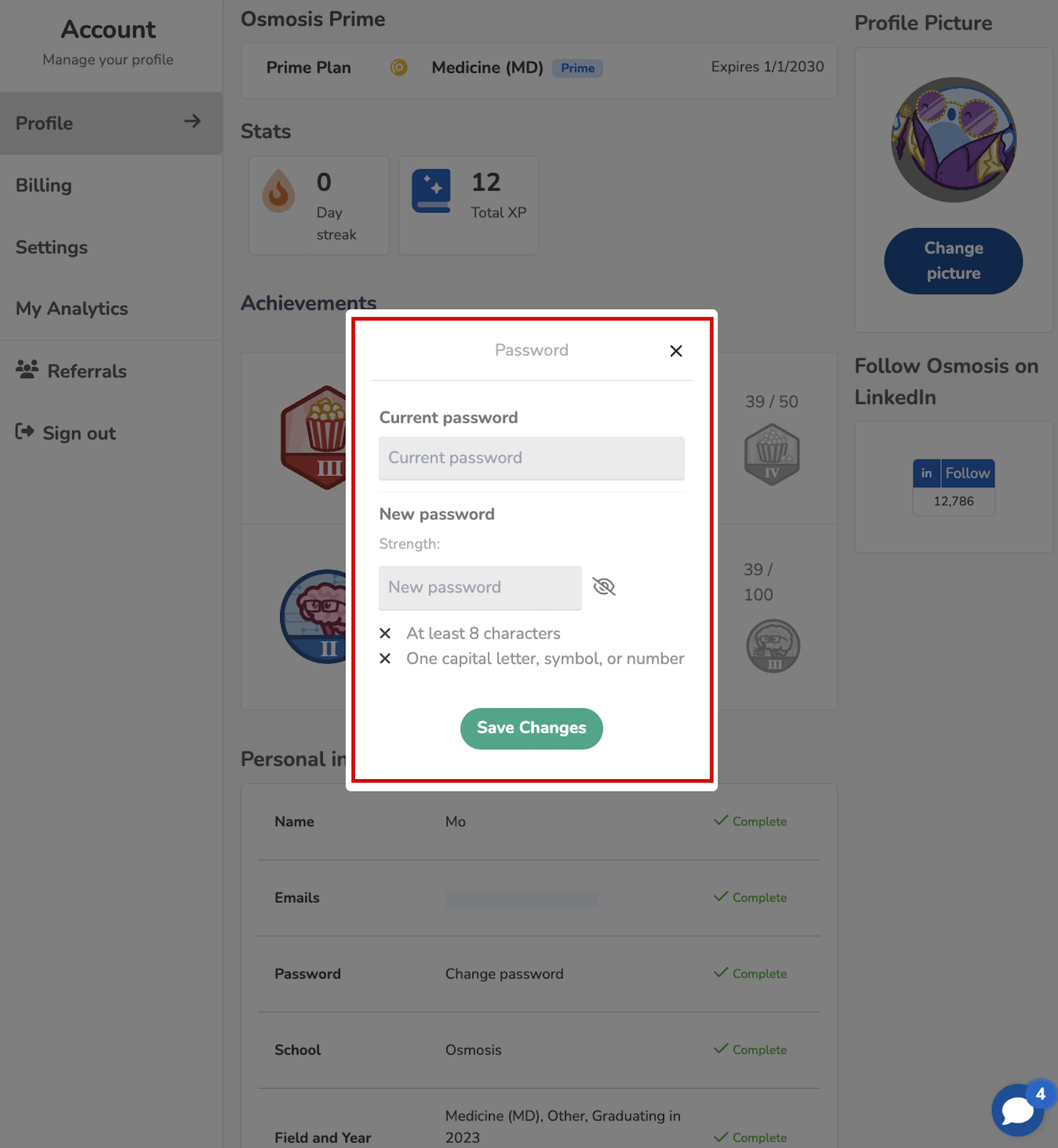
Enter your new password twice and then click Save.
Important Note for Google or Facebook Users
If you signed in using Google or Facebook and wish to change your password, please send an email to [email protected]opens in new tab/window so we can assist you with a temporary password.
If you encounter any problems or need further assistance, please use the chat bubble located on the Osmosis website, or contact us at [email protected]. We're here to help!
Did we answer your question?
Recently viewed answers
Functionality disabled due to your cookie preferences