
View by category
What is the difference between 'sign in' and 'check access'?
Last updated on February 20, 2026
As you use various Elsevier products and services you may see buttons which will let you sign in or check access.
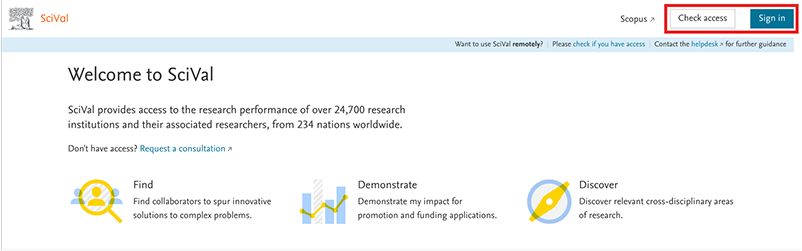
These buttons do different things.
'Check Access', 'Get Access' or 'Access through your organization' are designed to verify whether you can access paid content via your organization. Whenever your organization is subscribed to content within a product, we can provide you access to that content as long as you can prove your affiliation with the organization. We don’t necessarily need to know other personal details about you.
However, you will need to sign in with your email address and password, to access your personal account or information, like saved searches and references.
An example of accessing through your organization is when you are redirected to sign in via SAML SSO on your university or organization’s website.
Signing in to a product, by providing your email address and your password, allows Elsevier to show you content that is specific to you and to personalize your experience.
When you are signed in you are no longer anonymous.
You will see the option to sign in on all Elsevier products.
On some Elsevier products, you will see the option to 'Check Access' or 'Get Access'. For example, on an author profile page on Scopus, or on Scival home page whenever you are signed in, but you don’t have access with your personal account, or on TheLancet.com under articles which are not Open Access. On some other Elsevier products, like ScienceDirect, you may see instead on an article page the following button: 'Access through your organization'.
Elsevier needs to know which organization you are from so you can get access to your organization's subscribed content. You do not need to create an Elsevier account or sign in to Elsevier to get access to your organization’s subscribed content. But you will need to prove that you belong to that organization. Elsevier authentication will guide you through the screens to do that.
Once you have selected 'Check Access' / 'Get Access' or 'Access through your organization', you will be addressed to the screen 'Find your organization' where you can search for your organization.

Once you choose your organization you will be directed to the remote access method that is supported by your organization, such as Federated Access (SAML SSO). Thus, you will be directed through the right screens where you will be able to prove you belong to the selected organization.
To save time in future, you can create an Elsevier account and connect it to your organization.
Sometimes although you may be able to find your organization in the above screen, it might happen that your organization only provides access via IP or VPN. Then you will not be able to access Elsevier paid-for content if you are outside of your organization premises / VPN.
Did we answer your question?
Related answers
Recently viewed answers
Functionality disabled due to your cookie preferences