
Getting started with the Reading Assistant
Last updated on March 02, 2026
For more information on other AI features in ScienceDirect, detailed FAQs and a technical overview, please visit our Getting started with ScienceDirect AI FAQopens in new tab/window.
The Reading Assistant feature helps researchers quickly and efficiently find important information by querying individual articles or book chapters and providing real-time responses based on the content of those specific documents.
Ask your questions in your own language or use one of the suggested questions to get started. View past queries or ask follow-up questions to deepen your knowledge.
Get started
Select ‘View article' on any reference on sciencedirect.com/ai. If you have full text access, the Reading Assistant will summarize the article based on your question.
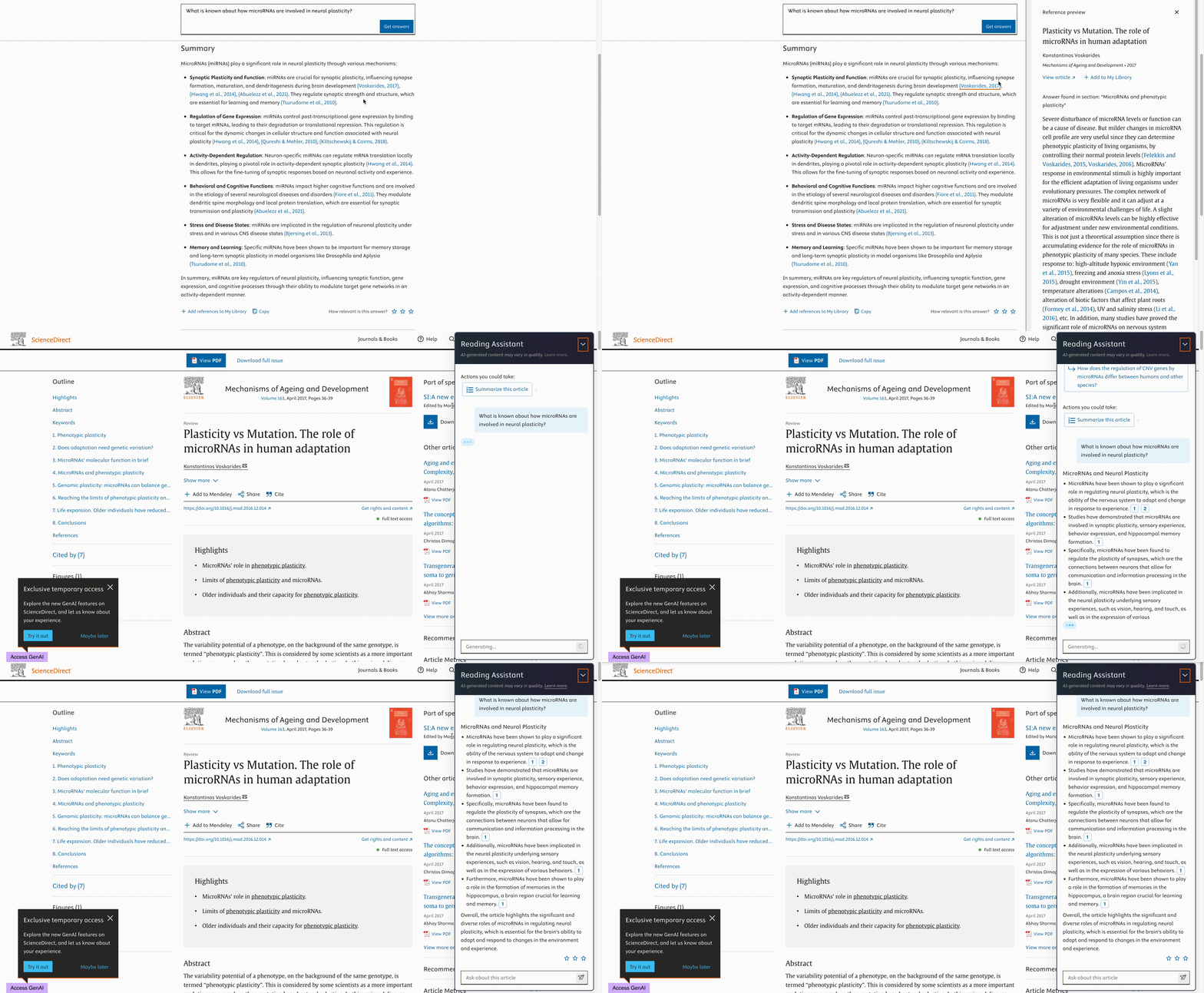
The responses provided by the Reading Assistant includes one or more in-text references to support the claims made. Select the references to highlight the used information snippets in the article or chapter text.
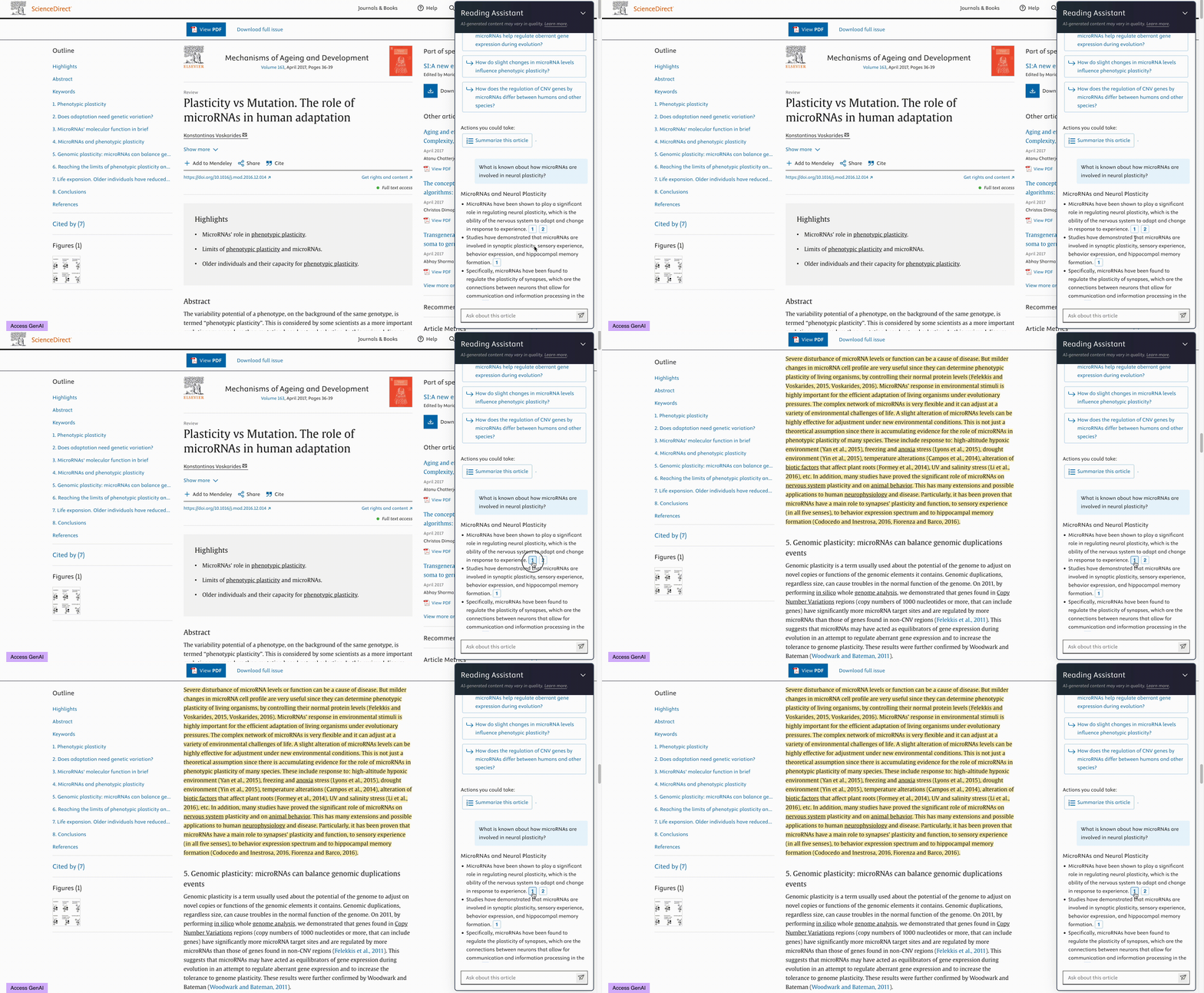
To help you start using the tool and deepen your queries, up to three suggested research questions are provided from the full-text article. Select a question to get an instant answer.
.gif)
View your past queries and their corresponding responses.
Ask follow-up questions without needing to repeat the terms or information referenced in earlier queries.
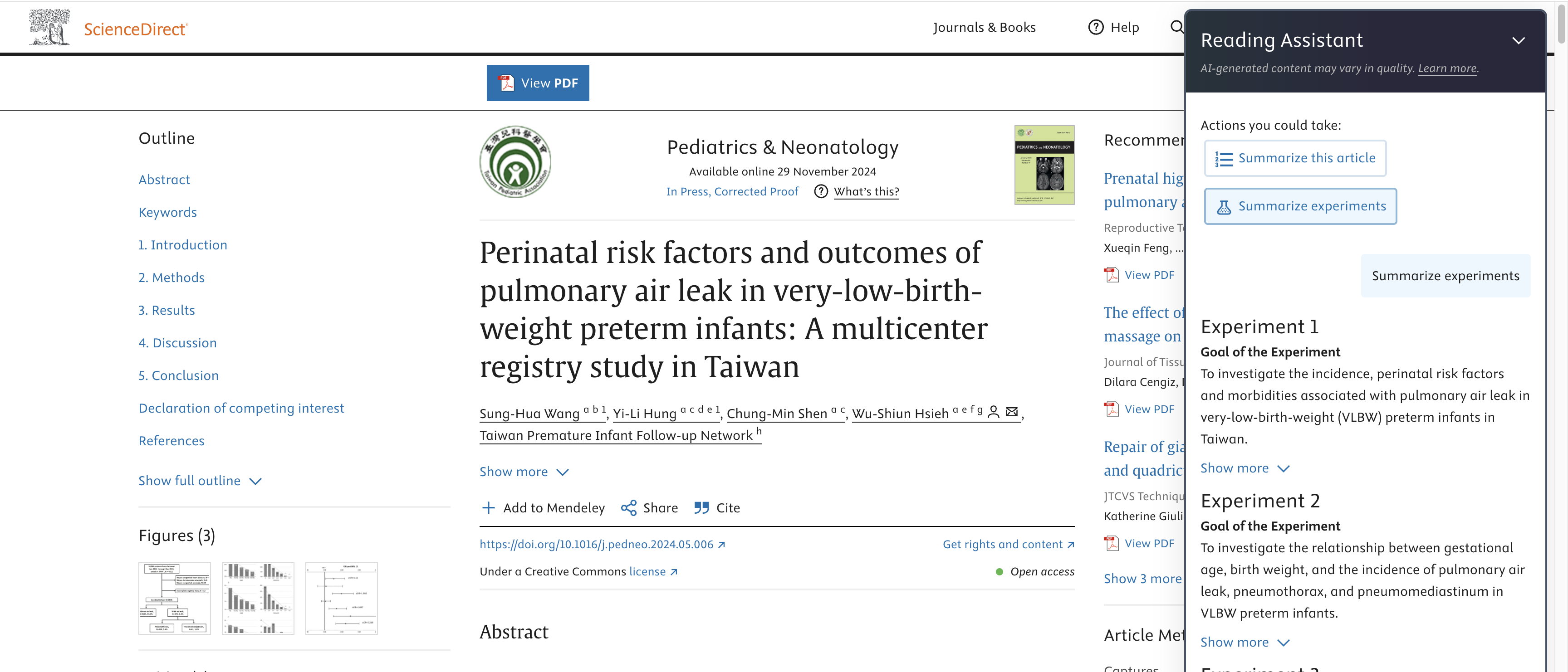
If an article contains experiments, the 'Summarize Experiments' button will appear at the top of the feature under ‘Actions you could take’ section. Clicking it will generate a summary of all experiments discussed in the article, highlighting key aspects such as the goal, methods, results, etc.
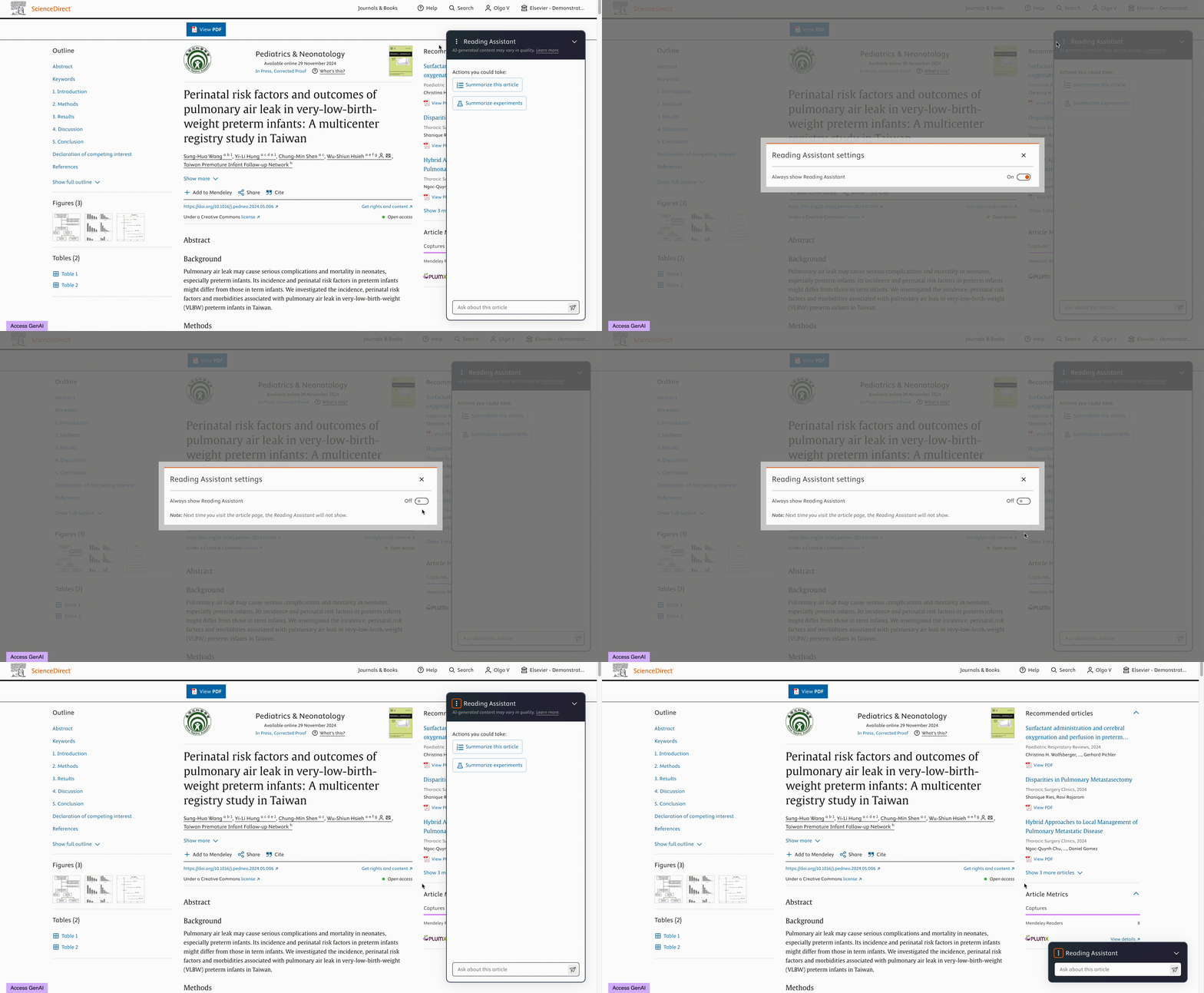
- To minimize the Reading Assistant for one time, select the arrow down at the top right of the app or press Esc.
- To minimize the Reading Assistant for all future sessions as well, select the three dots at the top left of the app and toggle the slider to 'off'.
Technical details
The generated responses are AI-powered and are based solely on the content of the document. Responses are designed to be concise and relevant summaries, directly extracted from the content, to enhance accuracy and reliability.
For each submitted query, we generate a real-time response making use of the full-text content and a Large Language Model (LLM).
Limitations
- Each submitted query has a 500-character limit
- No support for providing responses based on any other content that is not text from documents, author names or formulas, such as: tables, images, supplementary materials, journal information, etc.
Troubleshooting
- Expired session: A session expires after 120 minutes of idle time. If a session expires, you will not be able to interact with the tool and new submitted queries will result in an error message. Refresh the page to start a new session, the previous queries will be removed.
- No suggested questions: Some articles might not display Suggested Questions for various reasons. For example, the article might be new (a few months old) and has not yet been included in our pipeline for generating questions, or we could not generate questions that are informative enough to benefit your interaction.
- Some articles might be too large for the Reading Assistant to handle. In such cases, an error may appear even after refreshing the page. If this happens, we recommend trying another article for a smoother experience.
Did we answer your question?
Recently viewed answers
Functionality disabled due to your cookie preferences